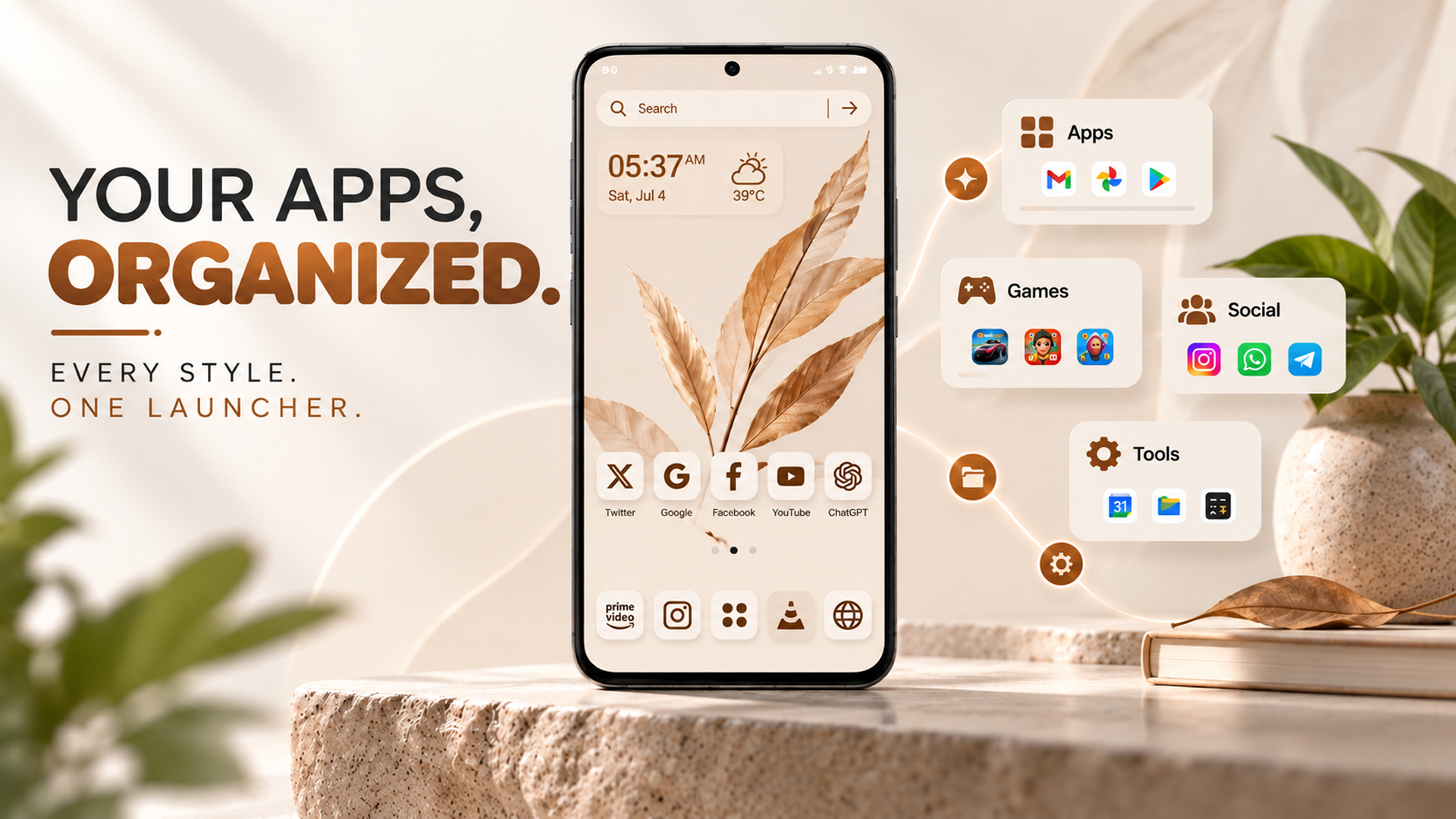
Looking for a free Android launcher to give your smartphone a fresh new look? An Android launcher lets you personalize your home screen, organize apps, and customize the appearance of your device without buying a new phone. Depending on the launcher, you can also explore themes, wallpapers, app icons, and other personalization options.
Whether you prefer a clean and simple interface or a colorful home screen with unique designs, a free Android launcher can help you create a smartphone experience that matches your style. CMM Launcher is one option to explore if you want to discover more Android home screen customization features.
What Is a Free Android Launcher?
A free Android launcher is an application that changes or customizes the home screen experience on an Android smartphone. It can control how your apps appear, how your home screen is arranged, and which personalization options are available.
Many launchers offer features such as:
- Customizable home screen layouts
- Wallpapers and background options
- App icon customization
- Themes and visual styles
- App organization and shortcuts
- Widgets and other home screen tools, depending on the launcher
Although many launchers are free to download, some may offer paid themes, optional subscriptions, or in-app purchases.
Why Choose a Free Android Launcher?
A launcher can make your smartphone feel more personal and convenient without requiring a new device.
1. Personalize Your Home Screen
Your home screen is one of the most frequently used parts of your smartphone. A free Android launcher may let you rearrange apps, customize layouts, and adjust visual elements to create a more personalized experience.
You can keep your screen minimal or arrange your favorite apps for quick access, depending on the available features.
2. Explore Android Themes
An Android launcher with themes makes it easier to change the appearance of your phone. Depending on the app, you may find different visual styles, coordinated icons, and matching backgrounds.
Themes can help you create a consistent look without manually changing every element.
3. Discover Attractive Wallpapers
Wallpapers are a simple way to refresh your smartphone’s appearance. Some launchers include wallpaper customization options that let you explore different colors, patterns, and designs.
Choose a background that complements your icons and home screen layout for a more coordinated look.
4. Customize App Icons
Some Android launchers support alternative app icons, allowing you to create a home screen that matches your preferred design.
You can explore minimalist icons, colorful styles, or other supported designs to give your smartphone a distinctive appearance.
5. Organize Apps More Conveniently
A launcher can also help you organize your apps and shortcuts. Depending on its features, you may be able to arrange apps, customize folders, or change the layout to make frequently used applications easier to find.
A well-organized home screen can make everyday navigation more convenient.
Explore CMM Launcher for Android Customization
If you’re searching for a free Android launcher, CMM Launcher is an option to consider when exploring home screen personalization.
Depending on the features available in the current version, you can look for customization options involving themes, wallpapers, app icons, and home screen appearance.
Before installing CMM Launcher, review its official Google Play Store listing to confirm the latest features, device compatibility, pricing, and any in-app purchases. Also, check the requested permissions and privacy information before using the app.
How to Install and Use a Free Android Launcher
Getting started with an Android launcher is usually straightforward.
- Choose a launcher: Find an app that offers the customization features you want.
- Download the app: Install it from Google Play or another trusted source.
- Open the launcher: Follow the setup instructions provided by the app.
- Set it as your default home app: If prompted, select the launcher as your preferred home screen application.
- Customize your screen: Explore available wallpapers, themes, icons, and layout settings.
- Arrange your favorite apps: Place frequently used applications where they are easy to access.
The setup process and available features may vary by Android version and device manufacturer.
How to Choose the Best Free Android Launcher
Not every launcher offers the same experience. Before choosing one, consider the following factors.
Customization Options
Look for the features that matter most to you, such as wallpapers, themes, app icons, widgets, and home screen layouts.
Ease of Use
A good launcher should be easy to navigate. Look for straightforward settings and customization tools that don’t make everyday tasks complicated.
Performance
Choose a launcher that works smoothly on your smartphone. Performance can vary depending on your device, the launcher’s design, and the effects or features you enable.
Privacy and Security
Review the app’s permissions, developer information, and privacy policy. Install apps from trusted sources and avoid granting permissions that are unnecessary for the features you use.
Free Features and In-App Purchases
Check whether the features you need are available without payment. A launcher may be free to download while offering optional paid content or premium features.
Free Android Launcher vs. Default Launcher
Your phone usually comes with a built-in launcher. Installing another launcher gives you an alternative home screen experience.
| Feature | Default launcher | Third-party launcher |
|---|---|---|
| Home screen layout | Manufacturer-dependent | Options vary by app |
| Themes and wallpapers | Device-dependent | Depends on the launcher |
| App icon customization | May be limited | Available in some launchers |
| Personalization options | Vary by device | Vary by launcher |
| Cost | Usually included | Free or paid options |
A third-party launcher is worth considering if you want different customization options from those available on your phone.
Frequently Asked Questions (FAQs)
1. What is the best free Android launcher?
The best free Android launcher depends on your device, preferred design, and required features. Compare launchers based on customization options, performance, ease of use, privacy, and whether the features you need are free.
2. Can I download an Android launcher for free?
Yes. Many Android launchers are available to download for free. However, some apps offer paid themes, optional subscriptions, or in-app purchases.
3. Does a free Android launcher change my phone’s appearance?
Yes. A launcher can change the home screen layout and may offer options to customize app icons, wallpapers, themes, and other visual elements. The available changes depend on the app.
4. Can I use a free Android launcher with wallpapers and themes?
Yes. Some launchers include both wallpaper and theme customization. Check the app’s feature list to confirm which options are supported.
5. Is CMM Launcher available for Android?
CMM Launcher is an Android launcher to explore for home screen customization. Check its current Google Play Store listing to verify availability, compatibility, and the features offered for your device.
6. Will installing a new launcher delete my apps?
Installing a launcher generally does not delete your installed apps. It changes your home screen experience. However, back up important home screen arrangements if you want to preserve your current setup.
7. Can I switch back to my original Android launcher?
Yes. On most Android devices, you can return to your original launcher through the default home app settings. The exact steps depend on your device manufacturer and Android version.
A free Android launcher is a simple way to personalize your smartphone without purchasing a new device. From customizable home screen layouts to wallpapers, themes, and app icons, the right launcher can help you create an experience that suits your preferences.
If you want to explore additional customization options, consider CMM Launcher and review its latest features to determine whether it meets your needs.
Give your Android home screen a fresh look with a launcher that fits your style.