
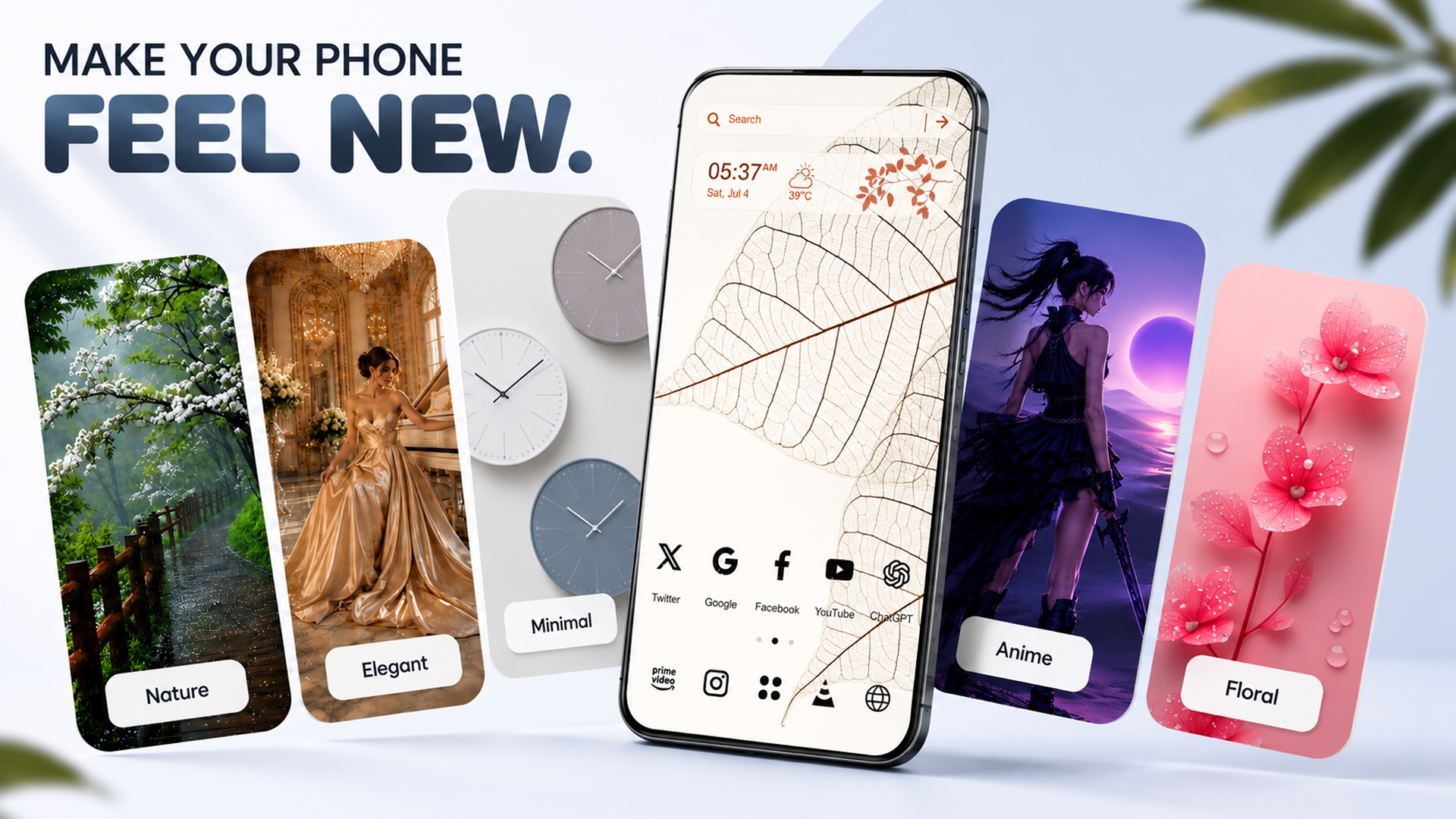
CMM Launcher is a lightweight, fast, and highly customizable Android launcher designed to make your phone look better and work more efficiently. This review covers What Is CMM Launcher? Features, Benefits, and User Experience, whether CMM Launcher for Android: Is It Worth Using in 2026?, and Is CMM Launcher Safe to Use? Features, Permissions, and Privacy.
1. CMM Launcher Review: Features, Pros, Cons, and Alternatives
CMM Launcher replaces your phone’s default home screen with a cleaner, smarter, and more personalized interface. It combines themes, app folders, widgets, gestures, app search, and privacy-friendly tools in one lightweight app
Its biggest strength is balance: it offers plenty of customization without making the launcher feel complicated. For users who want a fresh, organized Android experience, CMM Launcher is an easy and enjoyable upgrade.
| Aspect | Why It Stands Out |
| Customization | Themes, icons, folders, widgets, and transition effects. |
| Performance | Lightweight design focused on speed and simplicity. |
| Privacy | App hiding, app lock, and permission controls. |
| Ease of use | Simple setup and intuitive home-screen organization. |
| Alternatives | Lawnchair, Microsoft Launcher, Action Launcher, Nova Launcher, and Kvaesitso. |
2. What Is CMM Launcher? Features, Benefits, and User Experience
CMM Launcher is an Android home-screen replacement that helps you organize apps, personalize your phone, and access what you need faster. Instead of settling for a basic stock launcher, CMM gives you more control over how your phone looks and feels.
The user experience is designed to be simple and pleasant. You can arrange apps into folders, apply themes, add widgets, search for apps and contacts, and use gestures for everyday actions. Users often appreciate its attractive themes, folder organization, icon locking, and dark theme.
Key benefits include:
- A cleaner and more organized home screen.
- Faster access to apps through universal search.
- More visual personalization than many default launchers.
- Helpful privacy tools such as hiding and locking apps.
- A lightweight way to refresh the look and feel of your Android phone.
3. CMM Launcher for Android: Is It Worth Using in 2026?
Yes. CMM Launcher is absolutely worth using in 2026 if you want a simple, stylish, and customizable Android experience without unnecessary complexity. It is especially useful for people who want themes, folders, gestures, and better app organization in one convenient launcher.
It is a particularly good choice for older Android phones, where a lightweight launcher can make the home screen feel fresher and more responsive. CMM Launcher’s focus on simplicity makes it easy for both new and experienced Android users to customize their devices.
Best for: users who want a fast, attractive, and easy-to-customize launcher.
Also great for: users who want useful privacy features such as app hiding and app locking.
4. CMM Launcher Features You Should Know Before Installing
CMM Launcher includes a thoughtful set of features that improve both appearance and daily usability. These features make it more than just a theme launcher.
- Themes and home-screen customization: Personalize your phone with themes, icon layouts, widgets, and transition effects.
- App folders and organization: Group apps neatly and lock icons to keep your home screen exactly how you want it.
- Universal search: Quickly find apps, contacts, settings, and web results from one search bar.
- App hiding: Keep selected apps private by hiding them from view.
- App Lock: Protect important apps with a passcode or pattern lock.
- Gestures and screen locking: Use gestures and double-tap actions to lock your phone or perform common launcher tasks.
- Lightweight design: CMM is designed to remain small and efficient while still offering a complete feature set.
5. CMM Launcher: A Complete Guide to Customizing Your Android Phone
Customizing your Android phone with CMM Launcher is simple. After installing it from Google Play and setting it as your default launcher, you can transform your home screen in just a few minutes.
Here is an easy customization guide:
- Choose a theme: Select a theme that matches your wallpaper, mood, or favorite color style.
- Organize your apps: Create folders for categories such as Social, Work, Games, Banking, and Tools.
- Add widgets: Place useful widgets for weather, calendar, clock, or search on your home screen.
- Adjust icons: Rearrange icons, lock important ones, and keep frequently used apps within easy reach.
- Enable gestures: Set up gestures for actions such as locking the screen or opening useful features.
- Use smart search: Find apps, contacts, settings, and web results quickly without opening multiple apps.
- Protect private apps: Hide or lock apps containing personal or sensitive information.
For the smoothest experience, enable permissions only when you want to use the related feature. For example, turn on Accessibility or Device Administrator permissions only if you plan to use app locking or gesture-based screen locking.
6. Is CMM Launcher Safe to Use? Features, Permissions, and Privacy
Yes, CMM Launcher is safe to use when downloaded from the official Google Play Store. It includes privacy-focused features such as app hiding and app locking, and its privacy policy states that it does not store personally identifiable information on its servers.
CMM Launcher also gives users control over permissions. According to its FAQ, the app requests only the permissions necessary for its features, and users can skip certain permissions if they do not need the related functionality.
| Permission | Why CMM Launcher Uses It | User Control |
| Device Administrator | Enables the double-tap screen-lock plugin. | Enable only if you want gesture-based screen locking. |
| Accessibility Service | Supports App Lock and double-tap phone lock. | Enable only if you use these security features. |
| Contacts and app activity | Powers contact search and launcher functionality. | You can skip permissions, though some features will be limited. |
| Ignore battery optimizations | Helps keep the launcher running smoothly in the background. | Useful for maintaining a reliable home-screen experience. |
These permissions are optional based on the features you choose to use. If you only want themes, folders, widgets, and app organization, you can enjoy CMM Launcher without enabling every advanced permission.
7. CMM Launcher Pros and Cons: Everything You Need to Know
Pros
- Lightweight, simple, and fast for everyday Android use.
- Offers excellent customization through themes, icons, widgets, folders, and gestures.
- Includes useful privacy tools such as app hiding and app lock.
- Provides fast search for apps, contacts, settings, and the web.
- Makes older Android phones feel newer, cleaner, and more organized.
- Easy to set up, even for users who have never used a third-party launcher.
Minor Considerations
- Some advanced features, such as app lock and double-tap screen lock, require additional permissions.
- Users who enable many widgets, themes, and animations may need to adjust settings for the best performance on very old devices.
- Because it replaces your default launcher, it may take a little time to arrange apps and widgets exactly the way you like.
- Users who prefer an open-source launcher may also want to explore alternatives such as Lawnchair or Kvaesitso.
These are not major drawbacks—they are simply things to keep in mind when setting up any third-party launcher.
Best Alternatives to CMM Launcher
CMM Launcher is a strong choice, but Android users who want a different style can also explore these options:
- Lawnchair: A clean, open-source, Pixel-style launcher with Material You theming, icon packs, gestures, and widget management.
- Microsoft Launcher: A good option for users who use Microsoft services such as Office and OneDrive.
- Action Launcher: Known for quick app and widget access through Covers and Shutters.
- Nova Launcher: A long-standing option for deep home-screen customization.
- Kvaesitso: A privacy-focused, open-source launcher option.
Final Verdict
CMM Launcher is a great choice for Android users who want a lightweight, beautiful, and customizable home screen with practical features such as app lock, app hiding, folders, gestures, and universal search. It is worth using in 2026, especially if you want to give your phone a fresh, organized, and personal look without complexity.
FAQ
Here are answers to the most common questions about CMM Launcher, its features, safety, permissions, and customization options.
- Is CMM Launcher free to use?
Yes, CMM Launcher is free to download and use. It offers core customization features such as themes, folders, widgets, app organization, gestures, and search, while also providing additional versions for users who want more options.
- Is CMM Launcher safe?
Yes. CMM Launcher is available on the official Google Play Store and includes privacy-focused features such as app hiding and app locking. Its privacy policy states that it does not store personally identifiable information on its servers.
- What permissions does CMM Launcher need?
CMM Launcher requests permissions based on the features you use. For example, Device Administrator permission supports the double-tap screen-lock plugin, while Accessibility Service supports App Lock and double-tap phone lock.
You can skip certain permissions if you do not need the related features. The app’s FAQ says it requests only the permissions necessary for its functionality.
- Can I hide apps with CMM Launcher?
Yes. CMM Launcher lets you hide selected apps from view, which is useful for keeping private or less-used apps out of sight.
- Can I lock apps in CMM Launcher?
Yes. CMM Launcher includes App Lock, allowing you to protect selected apps with a passcode or pattern lock.
- Does CMM Launcher support themes and widgets?
Yes. CMM Launcher offers themes, icon layouts, widgets, and transition effects so you can personalize your home screen to match your style.
- Can CMM Launcher make my phone faster?
CMM Launcher is designed to be lightweight and simple, which can help create a smoother and more organized home-screen experience. It is especially useful for refreshing the look and feel of older Android phones.
- Can I search for apps, contacts, and settings?
Yes. CMM Launcher includes universal search, allowing you to find apps, contacts, settings, and web results from one convenient search bar.
- Can I use gestures in CMM Launcher?
Yes. CMM Launcher supports gestures and double-tap actions for convenient tasks such as locking your phone or performing common launcher functions.
- Will CMM Launcher work on my Android phone?
CMM Launcher is designed for Android devices and can be installed from Google Play. It is a good option for users who want a lightweight, customizable alternative to their phone’s default launcher.
- How do I set CMM Launcher as my default launcher?
After installing CMM Launcher from Google Play, open it and follow the prompt to set it as your default home app. You can usually also change this later in your phone’s Settings > Apps > Default apps > Home app.
- Can I go back to my old launcher?
Yes. You can switch back to your phone’s original launcher at any time through your Android settings. Simply change the default home app back to your previous launcher.
- Does CMM Launcher collect my personal data?
CMM Launcher’s privacy policy states that it does not store personally identifiable information on its servers. As with any app, review the permissions you grant and enable only the features you need.
- Is CMM Launcher better than my phone’s default launcher?
If you want more themes, better organization, app hiding, app locking, gestures, and universal search, CMM Launcher offers more flexibility than many default launchers. If you prefer a very basic experience, your stock launcher may still be suitable—but CMM is a strong upgrade for customization lovers.
- What are the best alternatives to CMM Launcher?
Popular alternatives include Lawnchair for open-source Pixel-style customization, Microsoft Launcher for Microsoft ecosystem users, Action Launcher for quick widget access, Nova Launcher for deep customization, and Kvaesitso for privacy-focused users.

Leave a Reply