
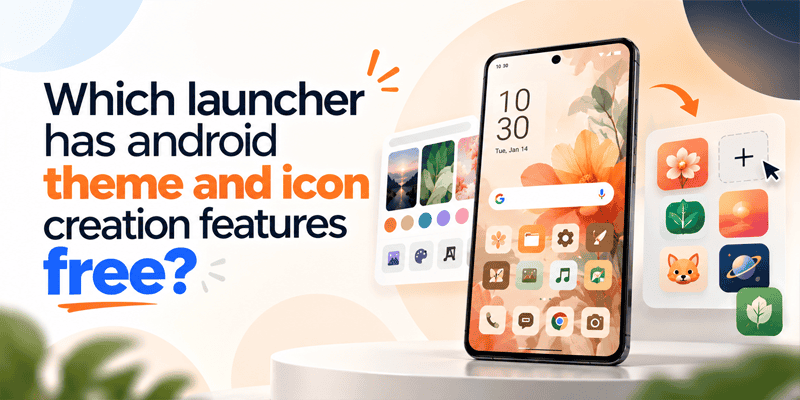
Personalizing your Android phone is about more than choosing a wallpaper. From custom icons and creative home screens to AI-generated themes and personalized widgets, the right launcher can help you transform your phone into something that reflects your personality. But which launcher offers free Android theme and icon creation features? One option to explore is CMM Launcher, an Android launcher designed to make home screen customization more creative and personal.
With AI-powered theme creation, users can explore fresh design ideas and create themes inspired by their own imagination. Instead of settling for the same wallpapers and icons everyone else uses, you can describe the look you want and turn your ideas into a personalized Android experience.
CMM Launcher: An Android Launcher for Creative Customization
CMM Launcher brings Android home screen customization into a more personalized experience. Whether you enjoy minimalist layouts, colorful designs, futuristic aesthetics, or cute and playful themes, you can explore different ways to make your device feel unique.
For users interested in an AI Android theme creator, the ability to describe a preferred design using a text prompt offers a more flexible approach to personalization. Rather than choosing only from predefined styles, you can express your vision in your own words and explore themes that match your preferences.
Create Your Own Android Themes With AI Prompts
One of the most exciting ideas behind AI-generated Android themes is the freedom to create a design based on your imagination.
Imagine typing a prompt such as:
- Create a dreamy pastel-pink theme with fluffy clouds and cute icons.
- Design a futuristic cyberpunk Android home screen with neon purple lights.
- Make a minimalist black-and-gold theme with elegant custom app icons.
- Create a nature-inspired theme with green leaves, soft sunlight, and calming wallpapers.
- Design a galaxy theme featuring glowing stars, deep-blue space, and cosmic artwork.
With a prompt-based theme creation feature, your description becomes the starting point for a personalized visual style. You can experiment with different colors, moods, artistic styles, and aesthetics to find a look that suits you.
This makes CMM Launcher worth exploring if you want an AI theme creator for Android that lets you express your creativity instead of relying entirely on ready-made themes.
Create Custom Android Icons for a More Personal Home Screen
App icons play an important role in your phone’s overall appearance. Even a beautiful wallpaper can feel incomplete when the icons do not match its style.
Custom Android icons help bring the entire home screen together. You might prefer rounded pastel icons, sleek monochrome symbols, colorful illustrations, or futuristic designs that complement your wallpaper.
With theme and icon customization, you can work toward a more consistent look across your Android home screen. When exploring CMM Launcher’s icon creation capabilities, check the available options in your version to see which AI-generated or custom icon features are supported.
The goal is simple: make your apps look like part of your chosen theme rather than a collection of unrelated icons.
AI Wallpaper Generator for Android: Bring Your Ideas to Life
A wallpaper often sets the mood for your entire phone. Whether you love abstract art, anime-inspired visuals, peaceful landscapes, fantasy worlds, or futuristic cities, an AI wallpaper generator for Android can open up new creative possibilities.
Instead of searching endlessly for the perfect background, you can describe the scene you have in mind.
For example, you could imagine a sunset over a futuristic city, a soft lavender sky filled with stars, or a peaceful forest in a watercolor style. Prompt-based AI artwork can help you explore these ideas and create a more personalized visual experience.
When using CMM Launcher, explore its available wallpaper and AI theme options to determine which creation features are included in your version.
Android Home Screen Customization Beyond Wallpapers
A well-designed home screen combines several elements into one cohesive layout. Android home screen customization can include:
- Wallpapers: Choose backgrounds that reflect your mood, interests, or favorite aesthetic.
- Custom icons: Create a more coordinated appearance for your apps.
- Widgets: Organize useful information and shortcuts while complementing your theme.
- Layouts: Arrange apps and shortcuts to create a cleaner, more convenient home screen.
- Colors and styles: Match visual elements for a consistent look.
Android widgets customization is particularly useful when you want your home screen to balance appearance and functionality. Depending on the launcher and available widget options, you may be able to combine useful at-a-glance information with a theme that matches your wallpaper and icons.
The result can be a home screen that looks distinctive while remaining practical for everyday use.
Top 10 Android Launchers Compared in 2026
Why Choose an AI-Driven Android Theme Experience?
Traditional Android themes typically provide a collection of premade backgrounds, icons, and visual styles. These can be convenient, but they may not always match the exact design you have in mind.
AI-generated Android themes offer a different approach by allowing you to start with an idea. You can describe a particular atmosphere, color palette, artistic style, or fictional world and use that description as inspiration for your design.
This approach is useful for people who:
- Enjoy experimenting with different phone aesthetics.
- Want a personalized Android theme instead of a standard preset.
- Like matching their wallpapers and icons.
- Prefer expressing design ideas in natural language.
- Want to refresh their home screen whenever their tastes change.
CMM Launcher is an option to consider if you want to explore Android theme customization alongside a more creative, prompt-based approach.
Is CMM Launcher Free for Android Theme and Icon Creation?
If you’re searching for a free Android launcher with theme and icon creation features, CMM Launcher is worth checking out. However, free launcher access does not necessarily mean every AI generation feature is unlimited or free.
Availability may depend on the current app version, subscription terms, usage limits, or in-app purchases. Before creating a large collection of themes, check the app listing and the feature or pricing information inside the launcher to confirm which options are free.
You can begin by exploring the available customization tools and determining whether they meet your needs for wallpaper personalization, icon creation, and AI-assisted theme design.
How to Create Your Favorite Android Theme Using a Prompt
Getting started with prompt-based theme creation is straightforward when the feature is available in your launcher.
Step 1: Open CMM Launcher. Install or open the launcher and explore its personalization or theme creation options.
Step 2: Find the AI theme creation feature. Look for an AI theme generator or a similar prompt-based customization tool, if available in your version.
Step 3: Write your own prompt. Describe the colors, background, visual style, mood, and icon appearance you want.
Step 4: Generate and review your design. If AI generation is supported, review the result and explore any available variations or customization options.
Step 5: Apply your preferred theme. Follow the in-app instructions to use the finished design on your home screen.
For better results, be specific. Instead of writing “make a cool theme,” try “create a clean white-and-blue futuristic theme with glowing accents, geometric shapes, and matching minimalist icons.”
The more clearly you describe your idea, the easier it is to communicate the visual style you want.
Final Thoughts
So, which launcher should you explore if you want Android theme and icon creation features without immediately paying for a premium customization app? CMM Launcher is one option to consider for personalizing your Android experience.
From AI-assisted theme ideas and custom Android icons to wallpaper inspiration and home screen customization, a prompt-based approach gives you more room to experiment with your phone’s appearance. You can describe your favorite aesthetic in your own words and explore designs that reflect your personality.
If you enjoy creating rather than simply selecting, explore CMM Launcher’s current features and see how its available customization tools can help you build an Android home screen that feels uniquely yours.
Make your phone your style, your colors, your imagination.


Leave a Reply