
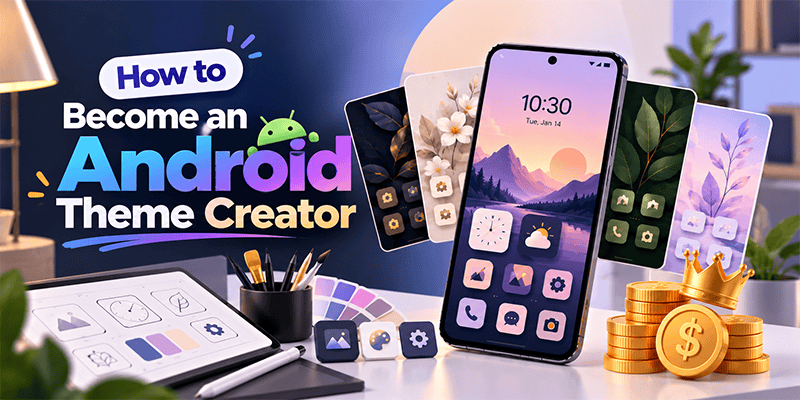
Have you ever wanted to create your own Android theme and share it with other smartphone users?
With CMM Launcher, becoming an Android Theme Creator is easier than ever. You don’t need advanced graphic design skills, coding knowledge, or expensive design software.
CMM Launcher allows users to create personalized Android themes using simple AI text prompts and publish their creations through its theme creator platform.
Whether you love anime, nature, 3D designs, futuristic backgrounds, minimal aesthetics, or colorful wallpapers, you can turn your imagination into an Android theme.
Simply describe your idea, generate your theme with AI, and publish it for others to discover.
What Is an Android Theme Creator?
An Android theme creator is someone who designs and publishes customized themes that change the appearance of an Android smartphone.
Android themes can include wallpapers, app icon styles, colors, and other home screen design elements.
Traditionally, creating Android themes required graphic design software, image editing, and technical knowledge.
Today, AI-powered Android theme creation makes the process more accessible.
With CMM Launcher, you can create your own Android theme by entering a text prompt describing your preferred design.
How to Create Your Own Android Theme Using CMM Launcher
CMM Launcher combines AI-powered theme generation with a creator publishing platform.
Follow these steps to become an Android theme creator.
Step 1: Download CMM Launcher
Install CMM Launcher on your Android smartphone and open the app.
https://play.google.com/store/apps/details?id=com.launcher.smart.android
Step 2: Create Your CMM Launcher Creator Account
Open the CMM Launcher Theme app and tap the Profile icon.
Select Continue with Google to sign in using your Google account.
Review the sign-in information and tap Agree and share to continue.
Complete the Publisher or Creator profile setup to access the available publishing features.
Step 3: Open the AI Theme Creation Feature
Navigate to the AI theme creation feature in CMM Launcher.
Here, you can start designing your own Android theme using text prompts.
Step 4: Enter Your Theme Prompt
Describe the theme you want to create.
For example:
- “Create a futuristic cyberpunk Android theme with neon blue icons and a dark city wallpaper.”
- “Generate a cute pink anime theme with pastel app icons and cherry blossom backgrounds.”
- “Design a luxury black and gold Android theme with elegant icons.”
- “Create a peaceful nature theme with green forests, mountains, and matching icons.”
- “Generate a 3D space theme with glowing planets, stars, and futuristic app icons.”
The AI theme generator uses your prompt to create a personalized visual design.
Step 5: Preview Your AI-Generated Theme
Review your generated theme and check how the design looks.
Make sure the colors, wallpaper, and available theme elements match your creative vision.
Refine your prompt or regenerate the design if needed.
Step 6: Publish Your Android Theme
Once your design is ready, use the available publishing option in CMM Launcher to submit or publish your theme through your creator profile.
Your theme can then become available for other users to discover, subject to the platform’s publishing and review requirements.
That’s it! You have created your own AI Android theme and taken your first step as a CMM Launcher Theme Creator.
Why Choose CMM Launcher for AI Android Theme Creation?
CMM Launcher offers a creative platform where Android users can move beyond downloading themes and start creating their own designs.
1. Create Android Themes Using AI Prompts
Instead of designing every visual element manually, describe your theme idea in simple words.
AI-powered generation helps transform your prompt into a creative theme design.
2. No Coding Skills Required
You don’t need to know Android app development or programming to start creating themes.
CMM Launcher’s prompt-based creation process makes theme design accessible to beginners.
3. Create Personalized Android Themes
Explore different creative styles, including:
- Anime and cartoon themes
- 3D Android themes
- Minimalist and aesthetic themes
- Nature and floral themes
- Dark and neon themes
- Futuristic and gaming themes
- Luxury and premium-looking themes
4. Publish Your Themes
CMM Launcher includes creator and publisher functionality, allowing users to share their original theme designs through the platform.
5. Build Your Theme Creator Profile
Create a publisher profile and begin building a collection of your own Android themes.
As you create more designs, you can develop your own creative style and portfolio.
Best AI Prompts for Creating Android Themes
Looking for ideas for your first AI-generated Android theme? Try these prompts.
| Theme Style | AI Theme Creation Prompt |
|---|---|
| Anime Theme | Create a pastel pink anime Android theme with cherry blossoms and cute matching icons |
| 3D Theme | Generate a futuristic 3D Android theme with metallic icons and glowing blue effects |
| Nature Theme | Design a peaceful forest theme with mountains, waterfalls, and green app icons |
| Dark Theme | Create a black AMOLED-style theme with minimal white icons and subtle purple accents |
| Gaming Theme | Generate a cyberpunk gaming theme with neon red and blue colors |
| Luxury Theme | Design a premium black and gold Android theme with elegant metallic icon styling |
| Space Theme | Create a galaxy-inspired Android theme with planets, stars, and futuristic icons |
Tip: The more specific your AI prompt is, the easier it is to communicate your preferred theme style. Include colors, backgrounds, icon styles, and overall mood.
Can You Become an Android Theme Creator Without Experience?
Yes. You can start creating Android themes even if you have no previous graphic design or coding experience.
With CMM Launcher, the creative process begins with a simple idea.
For example, if you love nature, you can create a forest-inspired Android theme. If you prefer futuristic designs, you can generate a neon cyberpunk theme.
AI-assisted tools make it easier to experiment with different styles and build your own theme collection.
Tips to Become a Successful Android Theme Creator
Creating a theme is just the beginning. Here are some ways to make your designs more appealing.
- Choose a clear design style: Focus on a consistent visual theme, such as anime, minimalism, nature, or futuristic artwork.
- Write detailed AI prompts: Include preferred colors, visual elements, icon styles, and background descriptions.
- Maintain visual consistency: Choose wallpapers and icons that complement one another.
- Create original designs: Avoid copying protected artwork, logos, or characters without permission.
- Publish regularly: Build a collection of different themes to showcase your creativity.
- Use descriptive theme titles: Give your themes meaningful names so users can understand their style.
Frequently Asked Questions (FAQs)
1. How can I become an Android theme creator?
You can become an Android theme creator by using a theme creation platform such as CMM Launcher. Create a creator account, generate a theme using an AI prompt, preview your design, and publish it through the available publishing workflow.
2. Which app allows users to create Android themes using AI?
CMM Launcher supports AI-powered Android theme creation, allowing users to describe their theme ideas using text prompts and generate personalized designs.
3. Can I create Android themes without coding?
Yes. CMM Launcher offers prompt-based AI theme creation, so you can start designing themes without programming knowledge.
4. Can I publish my own Android themes on CMM Launcher?
Yes. CMM Launcher provides creator and publisher functionality for submitting or publishing original Android themes, subject to applicable platform requirements.
5. How do I create an Android theme using a text prompt?
Open the AI theme creation feature in CMM Launcher, enter a description of your preferred theme, generate the design, review the result, and use the available options to publish it.
6. What types of Android themes can I create with AI?
You can experiment with anime-inspired, nature, futuristic, 3D, minimalist, gaming, dark, floral, and aesthetic Android theme designs.
7. Do I need graphic design experience to become a theme creator?
No. AI theme creation tools such as CMM Launcher allow beginners to generate theme designs using simple text descriptions.
8. How do I create a publisher account on CMM Launcher?
Open the CMM Launcher Theme app, tap the Profile icon, sign in using Google, confirm your account information, and complete the publisher profile setup.
9. Can I create matching wallpapers and app icons?
CMM Launcher supports AI wallpaper and AI icon creation features, which can help you develop coordinated visual styles for your Android themes.
10. Is CMM Launcher suitable for beginner Android theme creators?
Yes. CMM Launcher provides an accessible way to explore AI-powered theme creation, personalization, and theme publishing without requiring advanced technical skills.
Start Your Journey as an Android Theme Creator with CMM Launcher
Your imagination can become your next Android theme.
With CMM Launcher, you can create custom Android themes using AI prompts, experiment with unique styles, and publish your designs for other users to explore.
Whether you’re a beginner, a creative enthusiast, or someone who loves customizing Android phones, CMM Launcher gives you a way to turn your ideas into personalized themes.
Create your theme. Publish your design. Share your creativity.


Leave a Reply