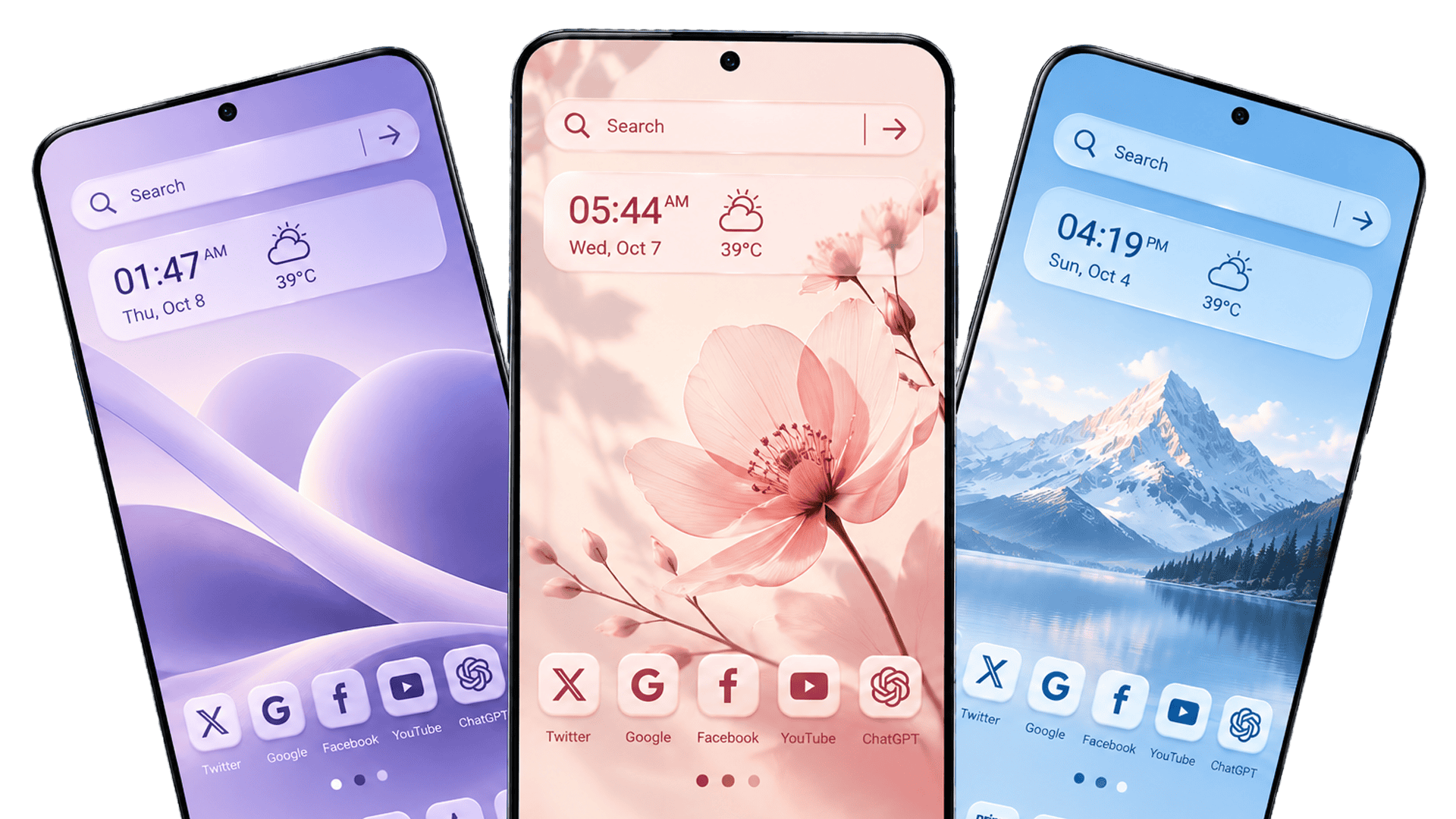
Your smartphone home screen should reflect your personal style. An Android launcher with wallpapers lets you customize the look and feel of your device with attractive backgrounds, personalized app icons, and a home screen layout that suits your preferences. With a launcher like CMM Launcher, you can explore new ways to make your Android phone look fresh and unique.
Whether you prefer minimalist designs, colorful themes, or eye-catching wallpapers, choosing the right Android launcher can make everyday phone use more enjoyable.
What Is an Android Launcher with Wallpapers?
An Android launcher with wallpapers is an app that lets you personalize your phone’s home screen and, depending on its features, customize app icons, layouts, themes, and backgrounds.
Unlike using a wallpaper app alone, a launcher can offer additional home screen customization options in one place. This makes it easier to create a consistent look across your device.
Why Choose an Android Launcher with Wallpapers?
A good Android launcher can help you personalize your smartphone without changing the device itself. Here are some benefits to consider:
1. Customize Your Home Screen
Change the appearance of your home screen to match your taste. Depending on the launcher, you may be able to adjust app layouts, icons, widgets, and other visual elements.
2. Explore Attractive Wallpapers
Wallpapers can instantly change your phone’s appearance. Choose from nature-inspired backgrounds, abstract designs, colorful patterns, or minimalist styles, depending on the options available in your launcher.
3. Discover Android Themes
An Android launcher with themes can help you create a coordinated look by combining wallpapers, icons, and other visual elements. Themes make it easier to give your smartphone a fresh appearance without manually customizing every detail.
4. Personalize App Icons and Layouts
Some launchers let you customize app icons, adjust home screen layouts, and organize apps according to your preferences. These features can make your phone feel more personal and convenient to use.
5. Refresh Your Phone’s Appearance
You don’t need to buy a new smartphone to enjoy a different look. Updating your wallpaper, theme, and home screen layout can make your existing Android device feel new again.
How CMM Launcher Can Help Personalize Your Android Phone
CMM Launcher is an option to explore if you’re looking for an Android launcher with wallpapers and home screen customization features.
Depending on the features supported by the current version, you may be able to use a launcher to explore themes, personalize your home screen, and create a visual style that suits your preferences.
Before installing any launcher, review its Google Play Store listing to confirm its current features, compatibility, pricing, and permissions.
How to Customize Your Android Home Screen
Follow these simple steps to create a personalized home screen:
- Choose a launcher: Find an Android launcher that offers the customization options you need.
- Install the app: Download it from a trusted source, such as Google Play.
- Set your preferred launcher: Follow the on-screen instructions to apply it as your home screen app.
- Choose a wallpaper: Select a background that matches your style.
- Explore themes and icons: If supported, customize app icons, layouts, and other visual elements.
- Arrange your apps: Organize your home screen for a cleaner and more convenient experience.
The exact options may vary depending on your Android version and the launcher you choose.
How to Choose the Best Android Launcher with Wallpapers
Before choosing a launcher, consider these important factors:
- Wallpaper selection: Look for backgrounds that match your preferred style.
- Theme customization: Check whether the launcher supports coordinated themes.
- Icon personalization: Look for options to change app icons if this matters to you.
- Ease of use: Choose an interface that is simple to navigate.
- Performance: Consider how smoothly the launcher works on your device.
- Privacy and permissions: Review the app’s permissions and privacy policy before installing it.
- Cost: Check whether the launcher is free and whether some features require payment.
The best Android launcher is one that balances visual customization, usability, performance, and privacy.
Frequently Asked Questions (FAQs)
1. What is the best Android launcher with wallpapers?
The best Android launcher with wallpapers depends on your customization preferences, device compatibility, and desired features. Compare available launchers based on their wallpaper options, themes, icons, performance, and privacy practices.
2. Is there a free Android launcher with wallpapers?
Yes, some Android launchers are available for free and include wallpaper or home screen customization features. However, certain themes, wallpapers, or premium features may require payment.
3. Can I change my Android home screen without buying a new phone?
Yes. You can change your home screen’s appearance by using a launcher, changing your wallpaper, adjusting app icons, and customizing the layout where supported.
4. What is the difference between a launcher and a wallpaper app?
A wallpaper app primarily helps you find or apply backgrounds. An Android launcher can change the home screen interface and may offer additional options for app icons, layouts, themes, and widgets.
5. Does an Android launcher slow down a phone?
Performance varies by launcher, device, and settings. Lightweight launchers may run smoothly on many devices, while resource-intensive effects or features can affect performance.
6. Can I use themes and wallpapers together?
Yes. If your launcher supports both features, you can combine a wallpaper with matching icons and theme elements to create a coordinated home screen.
An Android launcher with wallpapers is a practical way to personalize your smartphone and create a home screen that reflects your style. From attractive backgrounds to customizable themes and app layouts, the right launcher can help you refresh your Android experience.
If you want to explore more home screen customization options, consider checking out CMM Launcher and reviewing its latest features to see whether they match your needs.
Make your Android home screen your own with wallpapers, themes, and personalized design options.