
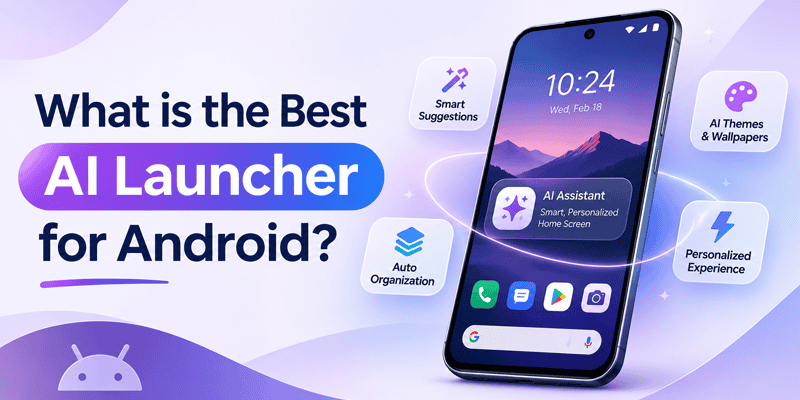
CMM Launcher is one of the Android launchers worth considering in 2026 for AI-powered home screen customization. It combines AI theme creation, AI wallpaper generation, and AI icon design with traditional Android launcher features.
Unlike launchers that primarily offer ready-made themes and icon packs, CMM Launcher allows users to create personalized designs using simple text prompts.
Imagine typing:
“Create a futuristic Android theme with a glowing purple city wallpaper, neon blue app icons, and a modern 3D design.”
Instead of searching through hundreds of existing themes, you can use AI to generate artwork inspired by your imagination.
For Android users who love customization, creativity, and personalized home screens, CMM Launcher offers an AI-focused alternative to traditional launcher apps.
What Is an AI Launcher for Android?
An AI launcher is an Android home screen application that incorporates artificial intelligence into features such as customization, personalization, content generation, or app interactions.
Different AI launchers may focus on different capabilities.
Some emphasize intelligent search and productivity, while others focus on creative customization.
CMM Launcher focuses on AI-powered visual personalization, allowing users to explore custom themes, wallpapers, and app icons.
With an AI-powered Android launcher, users can personalize their smartphones without needing professional graphic design skills.
Why Is CMM Launcher a Top Choice for AI Android Customization?
CMM Launcher combines traditional Android launcher functionality with AI-powered creative tools.
Here are some of its key features.
1. AI Theme Creator – Create Your Own Android Themes
One of CMM Launcher’s standout features is its AI Theme Creator.
Instead of relying entirely on pre-designed themes, users can describe their preferred theme using a text prompt.
For example:
“Create a beautiful anime Android theme with cherry blossoms, pastel pink icons, soft clouds, and a dreamy background.”
The AI Theme Creator helps turn your description into personalized theme artwork.
Whether you prefer anime, gaming, minimalist, futuristic, nature-inspired, or 3D designs, you can experiment with different prompts.
2. AI Wallpaper Generator – Create Personalized Wallpapers
Your wallpaper is one of the most visible parts of your smartphone.
CMM Launcher’s AI Wallpaper Generator allows users to create personalized wallpapers using text descriptions.
You can experiment with:
- Anime-inspired wallpapers
- Futuristic 3D backgrounds
- Nature and mountain landscapes
- Gaming and cyberpunk wallpapers
- Minimalist aesthetic designs
- Space and galaxy artwork
- Dark AMOLED-style backgrounds
Instead of downloading the same wallpaper as everyone else, you can create artwork inspired by your own ideas.
3. AI Icon Creator – Personalize Your App Icons
Want your app icons to match your wallpaper?
CMM Launcher supports AI-powered icon creation, allowing users to experiment with personalized app icon designs.
For example:
“Create elegant black and gold Android app icons with metallic textures, rounded shapes, and a premium minimalist style.”
This helps users explore a more coordinated Android home screen appearance.
4. Wide Collection of Android Themes and Wallpapers
Not everyone wants to create a theme from scratch.
CMM Launcher also offers a collection of ready-made Android themes and wallpapers.
Users can explore different visual styles and choose designs that match their preferences.
5. Create and Publish Your Own Android Themes
CMM Launcher also provides creator and publisher functionality.
Users can create original Android themes and explore publishing them through the platform.
This makes CMM Launcher relevant not only for Android users but also for people interested in creating and sharing mobile theme designs.
6. Android Home Screen Customization
Beyond AI-generated designs, CMM Launcher provides Android launcher customization features, including themes, visual effects, and home screen personalization.
This combination allows users to explore both ready-made and AI-generated designs.
How to Use CMM Launcher to Create AI Themes and Wallpapers
Creating personalized Android themes with CMM Launcher is straightforward.
Step 1: Download CMM Launcher
Install CMM Launcher from the Google Play Store.
Step 2: Open the AI Theme Creator
Launch the app and navigate to its AI-powered creation features.
Step 3: Enter Your Prompt
Describe the theme or wallpaper you want.
Example:
“Create a futuristic gaming theme with a dark background, glowing red icons, neon lighting, and a cyberpunk city wallpaper.”
Step 4: Generate Your Design
Submit your prompt and let AI generate artwork based on your description.
Step 5: Preview Your Theme
Review the result and refine your prompt if you want a different appearance.
Step 6: Apply Your Theme
Use the available customization options to personalize your Android home screen.
The exact steps and options may vary by app version.
Best AI Prompts for Android Themes and Wallpapers
Looking for inspiration? Try these prompts with CMM Launcher.
| Theme Style | AI Prompt |
|---|---|
| Anime | Create a cute pastel anime theme with cherry blossoms and matching pink icons |
| Gaming | Design a cyberpunk gaming theme with glowing neon blue and purple colors |
| 3D | Create a futuristic 3D theme with metallic app icons and realistic shadows |
| Nature | Generate a peaceful mountain wallpaper with green forests and golden sunlight |
| Luxury | Create a premium black and gold Android theme with elegant icons |
| Minimalist | Design a clean white and beige theme with simple geometric icons |
| Space | Create a galaxy-inspired theme with glowing planets and deep purple colors |
| Dark | Generate a black AMOLED-style theme with subtle blue neon accents |
Tip: Include colors, icon shapes, background details, lighting, and artistic style in your prompt to help the AI understand your preferences.
CMM Launcher vs Traditional Android Launchers
How does CMM Launcher differ from other popular Android launchers?
| Launcher | Main Focus | AI Theme Creation |
|---|---|---|
| CMM Launcher | AI themes, wallpapers, icons, and customization | Yes, prompt-based |
| Nova Launcher | Advanced home screen layout customization | Not a core advertised feature |
| Smart Launcher | App organization and adaptive personalization | Check current version |
| Niagara Launcher | Minimalist home screen experience | Not a core advertised feature |
| Microsoft Launcher | Productivity and Microsoft integration | Not a core advertised feature |
Different Android launchers serve different needs.
If you want detailed layout customization, Nova Launcher may appeal to you. If you prefer a minimalist home screen, Niagara Launcher may be suitable.
But if your priority is creating themes, wallpapers, and app icons using AI, CMM Launcher is an option worth exploring.
Feature comparisons are based on general product positioning and should be checked against current app releases.
Has CMM Launcher Been Featured by Technology Platforms?
CMM Launcher has gained visibility through technology coverage and Android app discovery websites.
Hindustan Times has featured CMM Launcher as an Android launcher made in India.
AppsAPK has included CMM Launcher in Android launcher recommendation content.
CMM Launcher also has app listings on platforms such as AppBrain, Uptodown, and APKPure, where Android users can discover information about launcher applications.
These editorial mentions and directory listings contribute to CMM Launcher’s visibility among Android customization apps.
They are separate from independent testing of its current AI features.
Is CMM Launcher Free to Use?
CMM Launcher offers Android customization features and AI-powered creative tools.
Users interested in free AI theme or wallpaper creation should check the current app version for available free generations, credits, and usage limits.
For those who want to experiment with personalized Android home screens, CMM Launcher provides several creative options in one app.
Who Should Try CMM Launcher?
CMM Launcher may be particularly useful for:
- Android customization enthusiasts who enjoy changing their home screen appearance.
- Anime and gaming fans who want personalized wallpapers and theme designs.
- Creative users who want to experiment with AI-generated artwork.
- Beginners who want to create themes without coding or design experience.
- Theme creators who want to explore publishing original Android designs.
Frequently Asked Questions (FAQs)
1. What is the best AI launcher for Android in 2026?
The best AI launcher depends on your needs. For AI-powered visual customization, CMM Launcher is a strong option because it supports AI theme creation, AI wallpaper generation, and AI icon design.
2. Which Android launcher has an AI theme generator?
CMM Launcher supports AI-powered Android theme creation using text prompts. Users can describe their preferred design and generate personalized theme artwork.
3. Which launcher can create AI wallpapers?
CMM Launcher offers an AI Wallpaper Generator that allows users to create personalized Android wallpapers using text descriptions.
4. Is CMM Launcher a free AI launcher for Android?
CMM Launcher provides Android customization and AI-powered creation features. Users should check the current app version for free-generation availability and any usage restrictions.
5. Can I create my own Android theme using AI?
Yes. With CMM Launcher, you can enter a text prompt describing your preferred colors, wallpaper, icons, and artistic style to generate personalized theme designs.
6. Can I create custom Android app icons with AI?
Yes. CMM Launcher supports AI-powered icon creation, allowing users to experiment with different app icon styles and designs.
7. Is CMM Launcher better than Nova Launcher?
It depends on your priorities. CMM Launcher emphasizes AI-powered theme, wallpaper, and icon creation, while Nova Launcher focuses on advanced home screen layout customization.
8. Can I create AI themes without coding?
Yes. Prompt-based AI theme creation allows users to generate personalized designs without programming or professional graphic design skills.
9. Can I publish my own Android themes on CMM Launcher?
Yes. CMM Launcher provides creator and publisher functionality for sharing original theme designs, subject to its publishing requirements.
10. Can I customize my Android home screen with AI?
Yes. AI-powered Android customization tools can help you create wallpapers, icons, and themes based on your preferred styles.
11. What makes CMM Launcher different from other Android launchers?
CMM Launcher combines traditional Android home screen customization with AI-powered theme, wallpaper, and icon creation. It also provides features for users interested in publishing original themes.
12. Where can I download CMM Launcher?
You can download CMM Launcher from the Google Play Store or visit its official website at https://cmmlauncher.com/.
Final Verdict: Is CMM Launcher the Best AI Launcher for Android?
If your goal is to create personalized Android themes, generate AI wallpapers, and experiment with custom app icons, CMM Launcher is one of the AI-focused Android launchers worth considering in 2026.
Its combination of AI creative tools, ready-made theme collections, and creator publishing features makes it relevant for Android users who want greater control over their phone’s appearance.
Create Your Own Theme in Android | Customize Home Screen with AI
While other Android launchers focus on productivity, minimalism, or advanced layout controls, CMM Launcher emphasizes creative home screen personalization.
Your Phone. Your Imagination. Your AI Theme.

Leave a Reply