
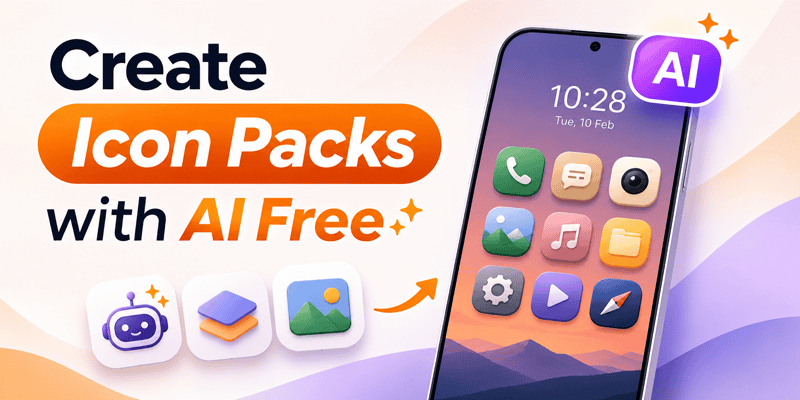
Tired of seeing the same app icons on your Android home screen? Want to create your own icon designs without using Photoshop or learning graphic design?
With CMM Launcher, you can turn your imagination into personalized Android app icons using artificial intelligence.
CMM Launcher is an AI-powered Android launcher that supports AI icon creation, allowing users to generate custom app icon designs using simple text prompts.
Whether you love 3D icons, anime-inspired artwork, minimalist designs, neon effects, or aesthetic icon styles, you can explore creative ways to personalize your Android home screen.
If you’re searching for a way to create icon packs with AI for free, CMM Launcher is an option worth exploring. Check the app for current free-generation availability and any usage limits.
What Is an AI Icon Pack Generator?
An AI Icon Pack Generator is a tool that uses artificial intelligence to create customized icon designs based on text descriptions.
Traditional Android icon packs contain predefined designs. AI-powered icon creation allows users to describe their preferred appearance and generate personalized artwork.
For example, enter this prompt:
“Create a set of futuristic 3D Android app icons with glowing neon blue edges, rounded shapes, metallic textures, and a dark background.”
AI can interpret the description and generate icon designs inspired by your preferred style.
With CMM Launcher, you can explore prompt-based icon creation as part of your Android home screen customization experience.
How to Create AI Icon Packs Using CMM Launcher
Want to design your own Android app icons? Follow these simple steps.
Step 1: Download CMM Launcher
Visit CMM Launcher and install the Android launcher app on your smartphone.
Step 2: Open the AI Icon Creation Feature
Launch CMM Launcher and navigate to the AI icon creation or customization feature.
Step 3: Enter Your AI Icon Prompt
Describe your preferred icon style, colors, shapes, and visual effects.
For example:
“Create minimalist pastel Android app icons with rounded edges, soft pink and lavender colors, and a clean aesthetic design.”
Step 4: Generate Your AI Icons
Submit your prompt and allow AI to generate icon artwork based on your description.
Step 5: Preview and Customize
Review the generated icons and check whether the design matches your preferred style.
You can experiment with different prompts to explore new visual concepts.
Step 6: Apply Your Custom Icons
Use CMM Launcher’s available customization options to personalize supported app icons on your Android home screen.
The exact creation and application options may vary depending on the app version.
Best AI Prompts to Create Android Icon Packs
Need creative inspiration? Try these AI icon prompts.
| Icon Style | AI Prompt |
|---|---|
| 3D Icon Pack | Create glossy 3D Android app icons with metallic textures, realistic shadows, and rounded edges |
| Anime Icon Pack | Generate cute anime-inspired icons with pastel pink colors, soft gradients, and playful artwork |
| Neon Icon Pack | Design futuristic app icons with glowing blue and purple neon outlines on dark backgrounds |
| Minimalist Icon Pack | Create clean white line icons with simple geometric shapes and neutral backgrounds |
| Luxury Icon Pack | Generate elegant black and gold icons with premium metallic effects |
| Gaming Icon Pack | Create cyberpunk gaming icons with red neon lighting and futuristic details |
| Nature Icon Pack | Design green nature-inspired icons with leaves, soft shadows, and organic shapes |
| Dark Icon Pack | Create minimal dark app icons with subtle blue highlights and modern styling |
Pro Tip: For a consistent icon pack, use the same colors, shape, lighting, and artistic style across all generated icons.
Why Choose CMM Launcher for AI Icon Creation?
CMM Launcher combines AI-powered personalization with Android launcher customization.
1. Create App Icons Using Text Prompts
Instead of searching through hundreds of predefined icon packs, describe your preferred icon design and explore AI-generated artwork.
2. Personalize Your Android Home Screen
Create custom icon designs that reflect your favorite colors, themes, and visual styles.
3. Explore Different Icon Styles
Experiment with 3D, neon, anime-inspired, futuristic, minimalist, gaming, and aesthetic icon designs.
4. No Coding or Design Skills Required
You don’t need professional graphic design software or programming knowledge to begin creating AI icon designs.
5. Combine AI Icons with Wallpapers
CMM Launcher also supports AI wallpaper generation, helping users create matching home screen backgrounds and icon styles.
6. Create Personalized Android Themes
Explore AI-powered theme creation to coordinate your icons, wallpapers, and other visual elements.
AI Icon Generator vs Traditional Android Icon Packs
What makes AI icon creation different from using regular icon packs?
| Feature | Traditional Icon Packs | AI Icon Creation |
|---|---|---|
| Ready-made icons | Yes | Not required |
| Create icons using prompts | Usually no | Yes |
| Personalized design concepts | Limited to available packs | Prompt-based |
| Custom colors and styles | Depends on the pack | Can be described in prompts |
| Design experience required | No | No |
| Unique visual variations | Limited to existing designs | AI-generated variations |
AI icon generation gives Android users greater creative flexibility when designing personalized home screens.
How to Create Matching AI Icons and Wallpapers
Want your Android phone to have a consistent visual style?
With CMM Launcher, you can explore AI-generated icon designs and wallpapers using similar prompts.
For example:
Wallpaper Prompt:
“Create a futuristic cyberpunk city wallpaper with purple neon lighting, dark buildings, and a modern nighttime atmosphere.”
Icon Prompt:
“Generate rounded Android app icons with glowing purple neon outlines, dark backgrounds, and a futuristic cyberpunk style.”
Using a consistent visual theme can help your home screen look more coordinated and attractive.
Tips for Creating Better AI Icon Packs
Creating attractive app icons involves more than choosing beautiful colors.
Here are a few practical tips.
1. Choose a consistent style: Use the same visual design across your icons.
2. Keep icons recognizable: Avoid overly complex artwork that makes apps difficult to identify.
3. Use matching colors: Choose a small color palette that complements your wallpaper.
4. Write detailed prompts: Mention shapes, lighting, textures, backgrounds, and visual effects.
5. Test icons on your home screen: Check whether your icons remain clear and recognizable at smaller sizes.
6. Experiment with AI-generated variations: Refine your prompts until you achieve a design that matches your preferences.
Can You Create Android Icon Packs Without Coding?
Yes. AI icon generation makes it easier to create custom icon artwork without programming knowledge.
With CMM Launcher, you can generate personalized icon designs by describing your ideas in simple text.
However, creating a standalone installable icon pack for distribution may require additional packaging tools and compatibility support.
For everyday home screen personalization, CMM Launcher’s AI icon creation feature offers an accessible starting point.
Frequently Asked Questions (FAQs)
1. How can I create icon packs with AI for free?
You can use an AI icon generator that offers free creation options. CMM Launcher supports prompt-based AI icon creation for Android. Check its current free usage availability and generation limits.
2. Which Android launcher supports AI icon creation?
CMM Launcher supports AI-powered icon creation, allowing users to generate personalized Android app icon designs using text prompts.
3. Can I create custom Android app icons using AI?
Yes. You can describe your preferred icon design, colors, shapes, and artistic style using an AI icon generator.
4. Do I need graphic design skills to create AI icons?
No. AI-powered icon creation tools allow beginners to generate icon artwork using simple text descriptions.
5. Can I create 3D app icons with AI?
Yes. You can enter prompts describing 3D effects, realistic lighting, metallic textures, glossy finishes, and other visual details.
6. Can I create anime-style icon packs for Android?
Yes. AI icon generators can create anime-inspired icon artwork using prompts describing cartoon styles, pastel colors, and other artistic elements.
7. Can I create matching AI icons and wallpapers?
Yes. CMM Launcher supports AI icon and wallpaper creation, allowing users to explore coordinated Android home screen designs.
8. Can I customize Android app icons without rooting my phone?
Yes. Compatible Android launchers can customize supported home screen icons without requiring root access.
9. What is the best AI icon pack generator for Android?
The best AI icon generator depends on your customization needs, pricing, and supported features. CMM Launcher is an option for users who want prompt-based icon creation alongside Android themes and wallpapers.
10. Can I create a complete Android icon pack using AI?
AI tools can help generate a coordinated collection of icon designs. Creating a complete installable Android icon pack may require additional formatting, app mapping, and packaging steps.
Create Your Own AI App Icons with CMM Launcher Today!
Why use ordinary app icons when you can create personalized designs inspired by your imagination?
With CMM Launcher AI Icon Creator, you can explore custom Android app icons using simple text prompts.
Whether you love futuristic 3D icons, anime-inspired artwork, minimalist designs, or colorful aesthetic styles, CMM Launcher helps you personalize your Android home screen.
Your Style. Your Prompt. Your Icons.
Start exploring AI-powered Android icon customization today!


Leave a Reply