
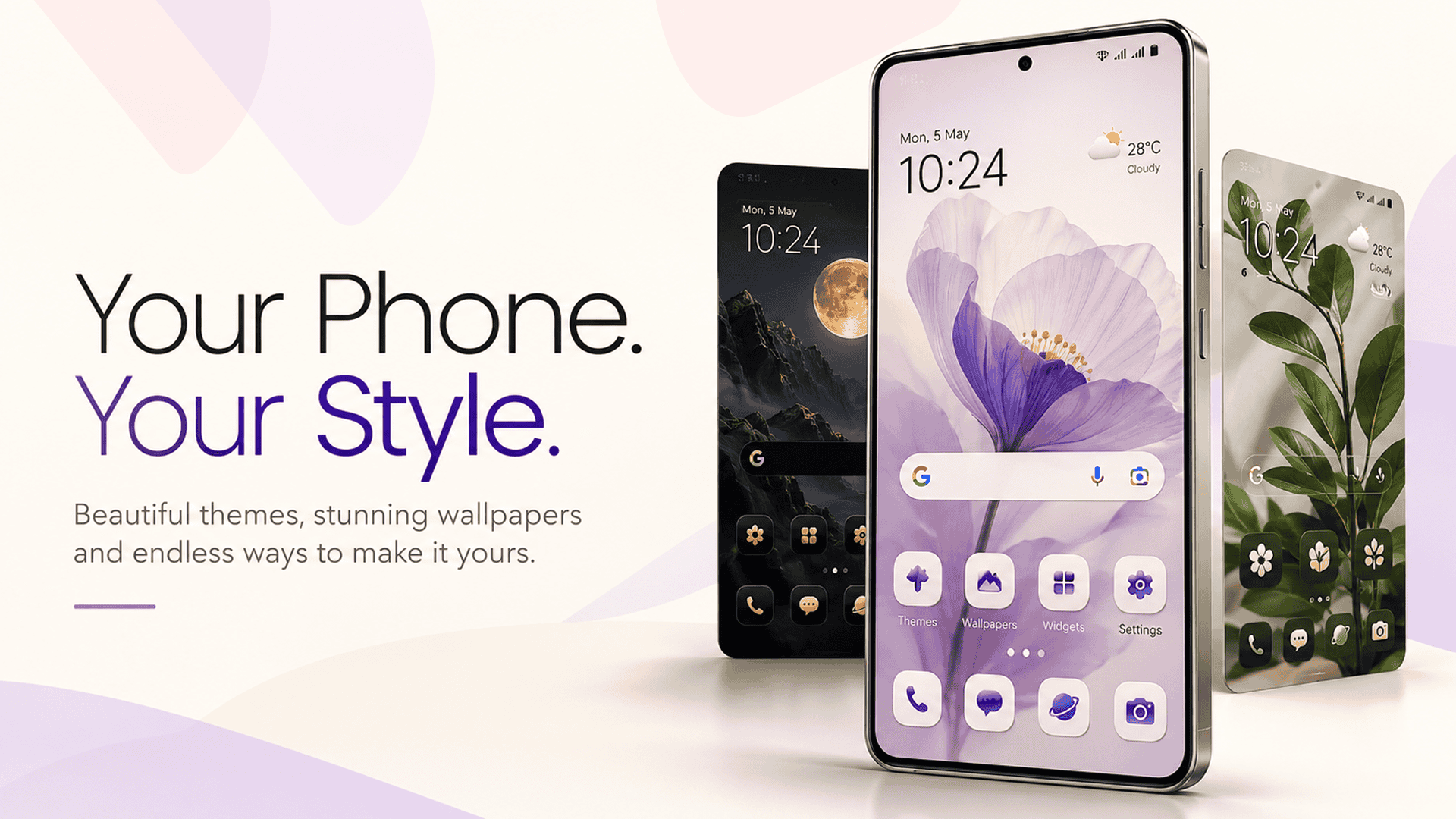
Imagine turning your ideas into a personalized Android home screen simply by describing what you want. Whether you love minimalist designs, neon aesthetics, anime-inspired looks, nature themes, or futuristic styles, AI-powered customization opens up exciting possibilities for smartphone personalization.
With CMM Launcher, users can explore a more creative approach to Android customization. Instead of settling for a standard home screen, you can use your own creative prompts to guide your desired theme style and personalize your smartphone experience with wallpapers, icons, visual styles, widgets, and more, depending on the features available in your version of the app.
If you’re looking for an AI Android theme creator or an Android launcher with customizable themes and wallpapers, discover how prompt-based creativity can help you make your phone feel more like your own.
What Is an AI Android Theme Creator?
An AI Android theme creator is a tool or feature that helps users create personalized visual designs using artificial intelligence. Instead of choosing only from predefined designs, users can describe their preferred appearance through a text prompt.
For example, you might enter:
- “Create a minimalist black-and-gold theme with elegant icons.”
- “Design a pastel pink home screen with cute, soft-style graphics.”
- “Give my phone a futuristic cyberpunk look with neon purple and blue colors.”
- “Create a peaceful nature-inspired theme with green tones and calming backgrounds.”
The goal is to turn your imagination into a visual direction for your smartphone. Depending on the tool’s capabilities, AI-assisted customization can help generate or guide the creation of wallpapers, theme designs, and other visual elements.
How CMM Launcher Makes Android Customization More Creative
CMM Launcher offers an option to explore Android home screen personalization. With AI-inspired, prompt-based theme creation where supported, customizing your smartphone can become a more creative experience.
Rather than limiting yourself to a single look, you can experiment with different design ideas and find a style that matches your personality.
1. Create Your Own Theme With a Custom Prompt
Your creativity starts with a simple idea.
Think about the colors, mood, and aesthetic you want for your phone, then describe your vision in a prompt. For example, you could request a clean white theme, a vibrant gaming-inspired look, or a dreamy pastel design.
Example prompt:
“Create a futuristic Android theme with a dark background, glowing cyan accents, sleek geometric patterns, and a modern minimalist style.”
A detailed prompt helps communicate your preferred aesthetic. Depending on the supported features, your prompt may guide the generation or customization of the theme’s visual elements.
2. Customize Your Android Wallpaper
A wallpaper is one of the most noticeable parts of your smartphone’s appearance. It sets the tone for the entire home screen.
With AI-assisted design tools, you can explore wallpaper concepts based on your own ideas instead of relying only on ready-made backgrounds.
Try prompts such as:
- “A peaceful mountain landscape at sunrise with soft pastel colors.”
- “A futuristic city skyline with neon lights and a dark atmosphere.”
- “An elegant black marble background with subtle gold details.”
- “A cute cloudscape with dreamy pink and lavender tones.”
Choose wallpaper styles that complement your icons and other home screen elements for a more cohesive design.
3. Give Your App Icons a Personalized Style
App icons contribute to the overall appearance of your home screen. A consistent icon style can make your phone look cleaner, more organized, and visually appealing.
Depending on the icon customization options available, you can explore different visual directions, such as:
- Minimalist icons with simple shapes
- Pastel icons with soft colors
- Neon icons for a futuristic aesthetic
- Monochrome icons for a clean, modern appearance
- Colorful icons for a playful home screen
Example prompt:
“Design a matching app icon style with rounded shapes, a deep navy background, electric blue highlights, and a sleek futuristic aesthetic.”
Use a consistent color palette and design style to create a unified look across your home screen.
4. Personalize Your Home Screen Style
Your theme is more than just a wallpaper. The overall style includes the colors, visual balance, icons, layout, and other elements that make your smartphone feel unique.
With supported launcher customization options, you can experiment with different styles to match your mood or preferences.
For example, choose a minimalist look for a clean interface, a dark theme for a dramatic aesthetic, or a bright and colorful style for a more energetic appearance.
The best approach is to choose a clear visual direction before customizing individual elements.
5. Customize Widgets for a More Personal Home Screen
Widgets can make your home screen both useful and visually appealing. Depending on your Android device and launcher support, widgets may display information such as the time, date, weather, or calendar events.
You can organize supported widgets to complement your chosen theme.
For example, a minimalist home screen might use a simple clock widget, while a colorful theme could pair well with a coordinated calendar widget.
Example design prompt:
“Create a clean home screen concept with a large minimalist clock, a simple calendar area, soft neutral colors, and plenty of open space.”
Remember that generating a visual concept and applying a functional Android widget are different tasks. Actual widget customization depends on the available launcher and widget features.
6. Explore Different Themes Whenever You Want
Your design preferences can change over time. You might want a calm nature-inspired theme during the week and a bold gaming aesthetic on the weekend.
Experimenting with different prompts makes it easier to explore new creative directions.
Try creating themes for different moods:
- Minimalist: Neutral colors, simple icons, and uncluttered layouts.
- Gaming: Dark backgrounds, bold colors, and futuristic visual elements.
- Nature: Green shades, landscapes, and organic patterns.
- Luxury: Black, gold, elegant typography-inspired visuals, and refined details.
- Pastel: Soft pink, lavender, mint, and other gentle colors.
Explore the features available in CMM Launcher to see which design options you can apply to your device.
How to Create Your Own Android Theme Using an AI Prompt
Want to design a personalized Android theme? Follow these general steps to get started with a supported AI theme-creation feature.
Step 1: Choose your theme idea
Decide what you want your phone to look like. Think about a style, color palette, or visual inspiration.
Step 2: Write a clear prompt
Describe your preferred background, colors, mood, icon style, and overall aesthetic.
Step 3: Explore the available customization tools
Open CMM Launcher and look for the relevant theme creation or personalization features available in your version.
Step 4: Review the generated or suggested design
If the feature supports AI-generated themes, review the available result and see whether it matches your idea.
Step 5: Customize supported elements
Adjust available options for wallpapers, icons, home screen styles, and widgets to create a more coordinated appearance.
Step 6: Apply your preferred design
Follow the app’s instructions to apply the supported theme elements to your Android home screen.
Feature availability and the exact workflow may vary by app version and device. Check the current CMM Launcher listing and in-app instructions for confirmation.
Best AI Prompts for Android Theme Customization
Not sure what to type? Use these creative prompt ideas as inspiration for your own theme.
| Theme style | Example prompt |
|---|---|
| Minimalist | Create a clean white-and-gray Android theme with simple icons and a calm aesthetic. |
| Cyberpunk | Design a futuristic neon theme with purple lighting, electric blue accents, and a dark background. |
| Nature | Create a peaceful forest-inspired design with rich green colors and soft natural lighting. |
| Pastel | Make a cute pastel theme with pink and lavender colors and rounded visual elements. |
| Luxury | Create a sophisticated black-and-gold theme with elegant patterns and refined details. |
| Space | Design a cosmic theme featuring stars, galaxies, deep blue tones, and a futuristic look. |
| Gaming | Create a bold gaming-inspired design with dark colors, glowing accents, and dynamic visuals. |
How to Write a Better AI Theme Prompt
For better creative direction, include these five elements in your prompt:
- Theme: Minimalist, gaming, nature, luxury, or futuristic.
- Colors: Specify two or three main colors.
- Wallpaper: Describe the background or imagery.
- Icon style: Mention shapes, colors, and visual consistency.
- Mood: Explain whether you want the design to feel calm, energetic, elegant, or playful.
For example:
“Create a minimalist space-inspired Android theme with a deep navy wallpaper, subtle stars, silver accents, simple rounded icons, and a clean, uncluttered home screen.”
Specific prompts communicate your preferences more clearly than general requests such as “make my phone look cool.”
Why Choose an AI-Powered Android Theme Creator?
AI-assisted theme creation can make smartphone personalization more approachable by helping users explore ideas without needing professional graphic design skills.
Key potential benefits include:
- Creative freedom: Describe the style you want rather than starting with a fixed design.
- Personalized aesthetics: Explore themes that reflect your interests and personality.
- More design possibilities: Experiment with different colors, moods, and visual concepts.
- Coordinated customization: Plan wallpapers, icons, and other supported elements around a common style.
- Easy experimentation: Refine your prompt to explore alternative designs.
The actual results depend on the capabilities of the AI tool and the customization features supported by your launcher.
Frequently Asked Questions (FAQs)
1. Can I create my own Android theme using AI?
Yes. AI-powered theme creation tools can help you describe and explore personalized theme designs using text prompts. The available options for generating and applying wallpapers, icons, and other elements depend on the tool you use.
2. What is CMM Launcher used for?
CMM Launcher is an Android launcher to explore for home screen personalization. Check its current app listing to verify its available features, including supported options for themes, wallpapers, icons, and other customization tools.
3. How do I write a prompt for an Android theme?
Describe your desired theme, colors, wallpaper, icon style, and overall mood. For example, “Create a dark minimalist theme with black backgrounds, white icons, and subtle blue accents.”
4. Can AI customize Android wallpapers and icons?
AI tools can help generate or guide the design of wallpapers and icon concepts. Applying those designs to a working Android home screen depends on the features supported by the AI tool and launcher.
5. Can I customize Android widgets with a theme?
Widget customization depends on the launcher, widget provider, and Android device. You may be able to arrange supported widgets and coordinate their appearance with your wallpaper and theme.
6. Do I need design skills to create an AI Android theme?
No professional design experience is necessarily required to write a theme prompt. You can start with a simple description and refine it by adding colors, styles, and details.
7. Is an AI Android theme creator free?
Pricing varies by app and feature. Check the current CMM Launcher listing and any in-app pricing information to determine which customization features are available for free.
8. What are the best prompts for Android home screen customization?
The best prompts clearly describe the visual style, color palette, wallpaper, icon appearance, and mood. Specific instructions help communicate your preferred design more effectively.
Conclusion: Turn Your Ideas Into a Personalized Android Experience
Your smartphone should reflect your style, creativity, and personality. AI-assisted theme creation offers an exciting way to explore personalized Android designs using simple text prompts.
From custom wallpaper concepts and coordinated app icons to home screen styles and supported widgets, there are many ways to imagine a more personal smartphone experience.
With CMM Launcher, explore the available customization options and discover how different themes and design.


Leave a Reply