
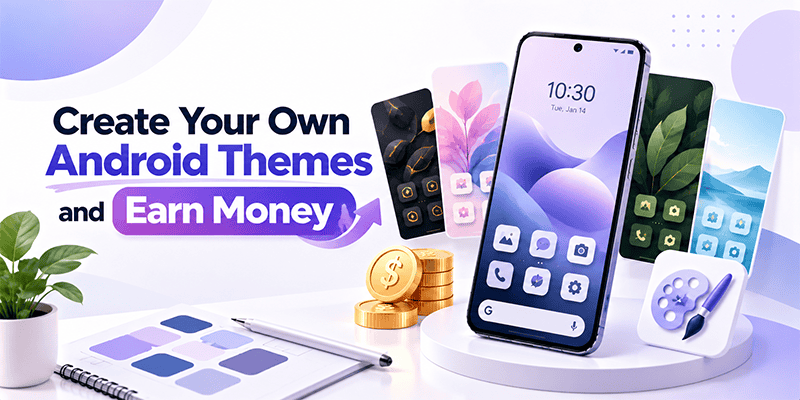
Have you ever imagined turning your creativity into Android themes that people around the world can use?
What if you could create beautiful Android themes simply by typing a few words?
With CMM Launcher, you can turn your imagination into personalized Android themes using AI-powered theme creation tools.
Whether you love anime, gaming, nature, futuristic designs, 3D effects, or minimalist aesthetics, CMM Launcher allows you to create your own Android themes using text prompts and publish them through your creator profile.
And if you’re interested in earning money from your designs, Android theme creation can open opportunities to explore digital products, freelance design services, and supported theme marketplaces.
Let’s explore how to become an Android theme creator, publish your designs, and discover potential ways to monetize your creativity.
What Is an Android Theme Creator?
An Android theme creator is someone who designs customized themes for Android smartphones.
These themes can include:
- Personalized Android wallpapers
- Custom app icons
- Home screen backgrounds
- Matching colors and visual styles
- 3D and aesthetic designs
- Gaming, anime, and futuristic themes
Traditionally, creating Android themes required graphic design software and technical knowledge.
Today, AI Android theme generators make it easier to create visual designs using simple text prompts.
With CMM Launcher, even beginners can start exploring Android theme creation without advanced coding or design skills.
How to Create Your Own Android Themes Using CMM Launcher
CMM Launcher offers AI-powered theme creation and publishing features that help users bring their ideas to life.
Step 1: Download CMM Launcher
Visit CMM Launcher and download the Android launcher app.
Open the app to explore its themes and customization features.
Step 2: Create Your Publisher Account
To start your journey as an Android theme creator:
- Open the CMM Launcher Theme app.
- Tap the Profile icon.
- Select Continue with Google.
- Choose your Google account.
- Tap Agree and share to complete sign-in.
- Complete your Publisher or Creator profile setup.
Your creator profile provides access to the available theme publishing features.
Step 3: Create an Android Theme Using AI Prompts
Open the AI theme creation feature and describe the theme you want to create.
For example:
Prompt 1 – Anime Theme
“Create a cute anime-inspired Android theme with pastel pink colors, cherry blossom wallpapers, and matching app icons.”
Prompt 2 – Gaming Theme
“Generate a futuristic gaming theme with neon blue and purple lights, cyberpunk backgrounds, and glowing 3D icons.”
Prompt 3 – Luxury Theme
“Design a premium black and gold Android theme with elegant metallic icons and a dark aesthetic wallpaper.”
Prompt 4 – Nature Theme
“Create a peaceful nature-inspired Android theme with green mountains, waterfalls, soft sunlight, and matching icons.”
AI-powered theme generation helps turn these descriptions into personalized visual designs.
Step 4: Preview and Customize Your Theme
Review your AI-generated theme before publishing.
Check the wallpaper, icon appearance, colors, and overall design.
If the result doesn’t match your idea, refine your prompt and generate another version.
Step 5: Publish Your Android Theme
Once you’re satisfied with your design, use the publishing functionality in CMM Launcher to submit or publish your theme.
Follow the platform’s content guidelines and any applicable review requirements.
Your published theme can then become available for other CMM Launcher users to discover.
How Can You Earn Money by Creating Android Themes?
Creating Android themes can become a digital creative activity with several potential monetization opportunities.
Here are some ways theme designers may earn money from their work.
Build a Theme Creator Portfolio
Publishing themes regularly can help you showcase your creative skills.
A portfolio of original Android themes may help you attract freelance opportunities, collaborations, or custom design requests.
Why Choose CMM Launcher for Android Theme Creation?
CMM Launcher combines Android customization with AI-powered creative tools.
AI Theme Creation Using Prompts
Create Android theme concepts by describing your ideas in simple words.
AI Wallpaper Generator
Generate personalized Android wallpapers based on your favorite colors, moods, and visual styles.
AI Icon Creator
Explore AI-generated icon designs that complement your wallpaper and overall theme.
Publisher and Creator Profile
Create your profile and publish original themes through CMM Launcher’s available creator workflow.
Beginner-Friendly Theme Creation
Start creating Android themes without needing advanced graphic design software or programming skills.
Best AI Prompts for Android Theme Creators
Here are some creative prompts to help you get started.
| Theme Category | Example AI Prompt |
|---|---|
| 3D Android Theme | Create a futuristic 3D theme with metallic icons and blue neon effects |
| Anime Theme | Design a pastel anime theme with cherry blossoms and cute icons |
| Dark Theme | Generate a minimalist black theme with elegant white icons |
| Gaming Theme | Create a cyberpunk gaming theme with red and purple neon lighting |
| Nature Theme | Design a peaceful forest theme with mountains and matching green icons |
| Luxury Theme | Create a black and gold theme with premium metallic icon designs |
| Space Theme | Generate a galaxy theme with glowing planets, stars, and futuristic icons |
Tip: Include the theme’s colors, icon styles, background details, and mood in your AI prompt to make the result more specific.
Tips to Become a Successful Android Theme Creator
If you want to grow your skills and explore earning opportunities, focus on creating original, useful designs.
Create a recognizable style: Experiment with different designs, then develop a consistent visual identity.
Focus on quality: Make sure wallpapers and icons look attractive and remain easy to use on a smartphone.
Create themes for different interests: Explore gaming, nature, minimalism, abstract art, and seasonal designs.
Publish consistently: Build a collection of original themes that demonstrates your creativity.
Use descriptive titles: Give your themes meaningful names that explain their visual style.
Respect intellectual property: Avoid copying copyrighted characters, brand logos, or artwork without appropriate permission.
Frequently Asked Questions (FAQs)
1. Can I earn money by creating Android themes?
Yes. Android theme creators can explore earning opportunities through eligible paid theme marketplaces, digital wallpaper sales, custom design services, and freelance projects. Earnings depend on demand, platform rules, and sales.
2. Which app allows me to create Android themes using AI?
CMM Launcher supports AI-powered Android theme creation using text prompts. Users can describe their ideas, generate theme designs, and publish them through the available creator features.
3. Can I create and publish Android themes with CMM Launcher?
Yes. CMM Launcher provides AI theme creation and publisher profile functionality, allowing users to create and share original Android themes.
4. Does CMM Launcher pay theme creators?
CMM Launcher supports theme creation and publishing. The availability of paid theme sales, creator payouts, or revenue-sharing programs should be confirmed through its current official creator policies.
5. How do I become an Android theme creator without coding?
You can use an AI theme generator such as CMM Launcher. Describe your design using a text prompt, generate the theme, review it, and publish it using the available creator tools.
6. What types of Android themes can I create?
You can experiment with anime-inspired, futuristic, minimalist, 3D, gaming, nature, floral, dark, and aesthetic Android theme designs.
7. Do I need graphic design experience to create Android themes?
No. AI-powered theme creation tools make it possible to start generating visual designs using simple text prompts.
8. How do I publish my Android theme on CMM Launcher?
Create your publisher profile, generate your theme, review the design, and use the available publishing option. Your theme may be subject to content guidelines or review before becoming available to other users.
9. Is Android theme creation a good side hustle?
Android theme creation can be a potential side hustle for people interested in digital design. Success depends on the originality and quality of your work, customer demand, distribution channels, and available monetization options.
Start Creating Android Themes with CMM Launcher Today
Your creativity could become your next digital project.
With CMM Launcher, you can create personalized Android themes using AI prompts, generate matching wallpapers and icons, and publish your designs through your creator profile.
Whether you want to build a creative portfolio, share your designs, or explore ways to earn money from Android customization, CMM Launcher offers a starting point.
Create with AI. Publish your themes. Explore earning opportunities.
Visit CMM Launcher and start your Android theme creator journey today!

Leave a Reply