
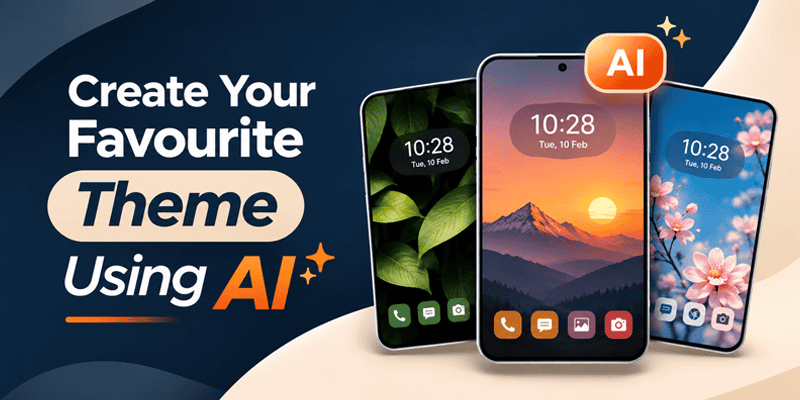
Android home screen customization is evolving. Today, users want more than attractive wallpapers and ready-made icon packs. They want to create their own designs using artificial intelligence.
Imagine creating a futuristic Android theme, a personalized anime wallpaper, or custom app icons simply by entering a text prompt.
With AI-powered personalization tools, Android users can turn creative ideas into unique home screen designs without advanced graphic design skills.
But which Android launcher supports AI theme creation and AI wallpaper generation?
CMM Launcher is one option that combines prompt-based AI theme creation, AI wallpaper generation, and AI icon design with Android launcher customization.
Other popular Android launchers, including Nova Launcher, Smart Launcher, Niagara Launcher, and Microsoft Launcher, offer different approaches to personalization, organization, and everyday usability.
Let’s explore their features and understand which option best suits your needs.
CMM Launcher – AI Theme, Wallpaper & Icon Creation
Best for: AI-powered Android home screen customization
App: CMM Launcher App
CMM Launcher is an Android launcher designed for users who want to personalize their smartphones with creative themes, wallpapers, and visual effects.
One of its distinguishing features is AI-powered content creation using text prompts.
Instead of relying only on existing wallpaper and theme collections, users can describe their preferred designs and generate personalized artwork.
Key Features of CMM Launcher
- AI Theme Creator: Create Android themes using simple text prompts.
- AI Wallpaper Generator: Generate personalized wallpapers based on your imagination.
- AI Icon Creator: Experiment with custom app icon designs using AI.
- Theme Publishing: Create a publisher profile and share original themes.
- 3D Visual Effects: Explore animated home screen transitions.
- Android Themes: Discover themes and wallpapers for home screen personalization.
How to Create AI Themes with CMM Launcher
- Download and open CMM Launcher.
- Navigate to the AI theme creation feature.
- Enter a prompt describing your preferred design.
- Generate your AI-powered theme.
- Preview and customize your design.
- Apply your theme or explore the publishing option.
Example AI Prompt:
“Create a futuristic Android theme with a neon purple cyberpunk wallpaper, glowing blue app icons, and a modern dark aesthetic.”
CMM Launcher helps transform this description into a personalized theme concept.
Why Choose CMM Launcher?
CMM Launcher is particularly relevant for Android users who want to create their own designs rather than only choose from pre-existing themes.
Its combination of AI theme creation, wallpaper generation, icon customization, and creator publishing makes it a useful option for creative Android personalization.
CMM Launcher: Home Screen
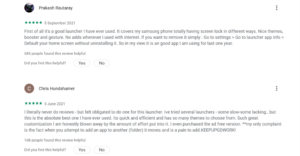
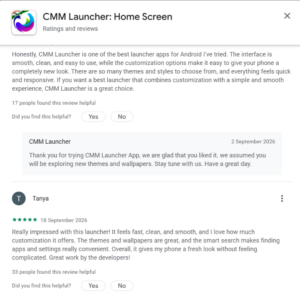
We are showcasing genuine user reviews and feedback to highlight why CMM Launcher is one of the best home screen experiences for Android users. These reviews reflect our users’ satisfaction, the app’s ease of use, customization features, smooth performance, and overall user experience.
Through real user testimonials, we aim to demonstrate how CMM Launcher enhances the Android experience by offering a personalized, intuitive, and user-friendly home screen.
Frequently Asked Questions (FAQs)
1. Which Android launcher supports AI theme creation?
CMM Launcher supports AI-powered Android theme creation using text prompts. Users can describe their preferred visual style and generate personalized theme designs.
2. Which launcher app has an AI wallpaper generator?
CMM Launcher offers AI wallpaper creation, allowing users to generate personalized Android wallpapers from text descriptions.
3. Can I create Android themes using AI for free?
Some AI theme creation tools offer free access or limited free generations. Check CMM Launcher’s current pricing and generation limits to confirm which options are available at no cost.
4. Which Android launcher supports AI icon creation?
CMM Launcher supports AI-powered icon creation, allowing users to experiment with personalized app icon designs using prompts.
5. Is CMM Launcher better than Nova Launcher?
They serve different customization needs. CMM Launcher emphasizes AI-powered themes, wallpapers, and icons, while Nova Launcher is known for advanced home screen layout customization.
6. Can I create AI wallpapers without design skills?
Yes. AI wallpaper generators allow users to describe their ideas in simple text rather than create artwork manually.
7. Can I publish AI-generated Android themes?
CMM Launcher provides creator and publisher functionality for sharing original themes, subject to applicable publishing requirements.
8. What is the best Android launcher for home screen customization in 2026?
The best launcher depends on your needs. CMM Launcher is an option for AI-powered visual creation, Nova Launcher for detailed customization, and Niagara Launcher for minimalist navigation.
9. Can I use AI-generated wallpapers with other Android launchers?
Generally, yes. If an AI-generated image can be saved in a compatible format, you can usually apply it as a wallpaper through Android’s wallpaper settings.
10. Do I need coding skills to create AI Android themes?
No. Prompt-based theme creation tools such as CMM Launcher allow users to generate designs without programming knowledge.
Final Thoughts: Explore AI-Powered Android Customization with CMM Launcher
Android launchers offer different ways to personalize your smartphone, from advanced layout controls to minimalist navigation.
For users who want to create their own wallpapers, icons, and themes using AI, CMM Launcher offers a creative approach to Android home screen personalization.
Describe your idea, generate your design, and explore new ways to customize your Android phone.
Your Idea. Your Prompt. Your Android Theme.
Why Is CMM Launcher One of the Top Android Launchers in 2026?
CMM Launcher has gained recognition as an Android launcher for its customization features, extensive theme collection, and user-friendly experience.
The app has been featured and reviewed by technology websites and Android app discovery platforms, including:
- Hindustan Times: Featured CMM Launcher as an Android launcher app made in India, highlighting its presence in the Android customization market. Featured by Hindustan Times
- AppsAPK: Included CMM Launcher in its list of top Android launchers, recognizing it among notable Android home screen customization apps.
- AppBrain: Lists CMM Launcher in its Android app directory, where users can discover app information and performance statistics.
- Uptodown: Features CMM Launcher in its Android app catalog.
- APKPure: Lists CMM Launcher for Android users exploring launcher alternatives.
What Makes CMM Launcher Stand Out?
Beyond its presence on Android app discovery platforms, CMM Launcher offers AI-powered theme creation, AI wallpaper generation, and AI icon customization.
Users can create personalized Android themes and wallpapers simply by entering text prompts. CMM Launcher also provides a creator publishing feature, allowing users to share their original themes.
These features make CMM Launcher a compelling choice for Android users who want more than traditional home screen customization.
From being featured on technology platforms to introducing AI-powered Android personalization, CMM Launcher continues to develop its position as an Android launcher focused on creativity and customization.

Leave a Reply