
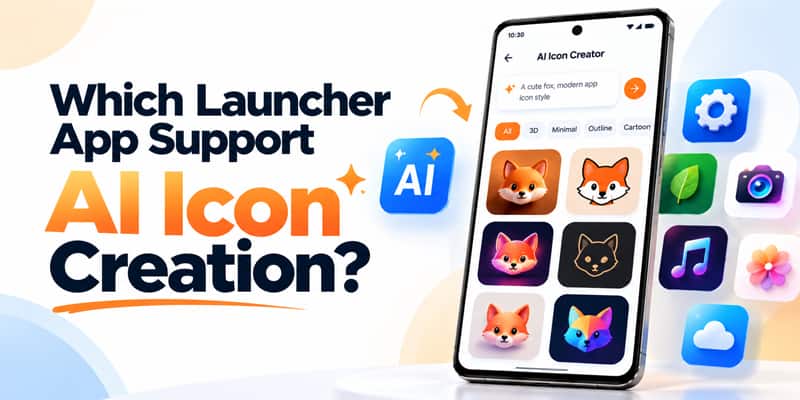
Create Custom AI App Icons Using Text Prompts with CMM Launcher
Looking for an Android launcher app that supports AI icon creation? CMM Launcher makes Android home screen customization more creative with its AI-powered icon generation feature.
Instead of using the same traditional app icons, you can create personalized AI icons using simple text prompts. Whether you prefer 3D icons, minimalist designs, neon effects, anime-inspired artwork, or futuristic styles, CMM Launcher helps you bring your ideas to life.
With AI icon creation, you can give your Android home screen a unique appearance that reflects your personality.
What Is AI Icon Creation in an Android Launcher?
AI icon creation is a feature that uses artificial intelligence to generate custom icon designs based on text descriptions.
Traditional Android launchers typically offer predefined icon packs. An AI icon generator allows users to describe their preferred visual style and generate new designs.
For example, you can enter prompts such as:
- “Create futuristic 3D app icons with glowing blue neon edges.”
- “Design minimalist pastel app icons with rounded shapes.”
- “Generate luxury black and gold icons with a premium appearance.”
- “Create cute anime-style app icons with soft pink colors.”
- “Design cyberpunk app icons with purple and electric blue lighting.”
With CMM Launcher’s AI Icon Creator, users can explore personalized icon designs without needing professional graphic design skills.
Why Choose CMM Launcher for AI Icon Creation?
CMM Launcher combines AI-powered personalization with Android launcher functionality, helping users customize their smartphones in new ways.
1. Create AI App Icons Using Text Prompts
Simply describe the icon design you want, and AI can generate artwork based on your instructions.
From modern geometric styles to colorful 3D designs, AI icon generation gives you greater creative freedom.
2. Personalize Your Android Home Screen
Your home screen should reflect your style.
CMM Launcher helps you customize your Android experience through AI-generated icons, launcher themes, wallpapers, and visual effects.
3. Explore Different AI Icon Styles
Create custom Android icon designs inspired by:
- 3D and futuristic aesthetics
- Minimalist and flat designs
- Neon and cyberpunk themes
- Anime and cartoon styles
- Luxury and metallic effects
- Pastel and aesthetic themes
4. Create Icons Without Design Experience
You don’t need advanced design software or technical skills.
With prompt-based AI icon creation, you can describe the appearance you want using everyday language.
5. Combine AI Icons with AI Wallpapers
CMM Launcher also supports AI wallpaper creation, allowing you to coordinate your app icons with your favorite home screen backgrounds.
For example, you can create a futuristic neon wallpaper and generate matching neon-style app icons for a consistent Android home screen design.
How to Create AI App Icons Using CMM Launcher
Creating personalized Android app icons with CMM Launcher is simple.
Step 1: Download CMM Launcher
Install CMM Launcher on your Android smartphone.
Step 2: Open the AI Icon Creation Feature
Launch CMM Launcher and navigate to the AI icon customization section.
Step 3: Enter Your AI Icon Prompt
Describe your preferred icon style, colors, shapes, and visual effects.
Step 4: Generate Your AI Icons
Use the AI icon generator to create designs based on your prompt.
Step 5: Customize Your Home Screen
Choose your preferred AI-generated icon design and apply it using the available launcher customization options.
Note: Feature availability and exact steps may vary by CMM Launcher version.
Best AI Icon Prompts for Android Home Screen Customization
Want inspiration? Try these creative prompts.
| Icon Style | Example AI Prompt |
|---|---|
| 3D Icons | Create glossy 3D app icons with rounded edges and realistic lighting |
| Minimalist Icons | Generate simple white line icons on soft beige backgrounds |
| Neon Icons | Create futuristic neon blue and purple app icons with glowing effects |
| Anime Icons | Design cute anime-inspired app icons in pastel pink and lavender |
| Luxury Icons | Generate elegant black and gold app icons with metallic textures |
| Nature Icons | Create green nature-inspired icons with leaf patterns and soft shadows |
AI Icon Creator vs Traditional Android Icon Packs
Traditional icon packs provide ready-made designs that users can select and apply.
An AI icon generator offers a different approach by allowing users to create designs based on their own descriptions.
| Feature | Traditional Icon Packs | AI Icon Creation |
|---|---|---|
| Pre-designed icons | Yes | Not required |
| Text prompt customization | Usually no | Yes |
| Personalized design concepts | Limited to available packs | Prompt-based |
| Custom color and style requests | Depends on pack | Yes |
| Design skills required | No | No |
AI icon creation gives Android users another way to personalize their smartphones beyond predefined icon packs.
Frequently Asked Questions (FAQs)
1. Which launcher app supports AI icon creation?
CMM Launcher is an Android launcher app that supports AI-powered icon creation, allowing users to generate personalized icon designs using text prompts.
2. Can I create custom Android app icons using AI?
Yes. With CMM Launcher, you can describe your preferred icon style through a text prompt and generate custom AI icon designs.
3. What is the best AI icon generator for Android?
The best AI icon generator depends on your customization needs. CMM Launcher is an option for users who want AI icon creation alongside Android launcher themes, wallpapers, and home screen personalization.
4. Can I create 3D app icons using CMM Launcher?
Yes. You can enter prompts describing 3D effects, glossy finishes, shadows, and other visual styles to generate 3D-inspired icon designs.
5. Do I need graphic design skills to create AI icons?
No. CMM Launcher allows users to generate icon designs by entering simple text descriptions, making AI icon creation accessible without professional design experience.
6. Can I create matching AI icons and wallpapers?
Yes. You can use similar prompts for AI icon creation and AI wallpaper generation to create a coordinated home screen aesthetic.
7. Can I create anime-style app icons for Android?
Yes. You can use prompts describing anime-inspired artwork, pastel colors, cartoon effects, and other creative styles.
8. How do I customize Android app icons without rooting my phone?
You can use a compatible Android launcher such as CMM Launcher to customize supported home screen icons without rooting your device.
9. What is the difference between AI icon creation and icon packs?
AI icon creation generates new designs from user-provided prompts, while traditional icon packs contain predefined designs that users select.
10. Does CMM Launcher support AI wallpaper creation too?
Yes. CMM Launcher supports AI wallpaper creation using text prompts, allowing users to generate personalized backgrounds alongside AI icon designs.
Create Your Own AI App Icons with CMM Launcher
Why use the same app icons as everyone else when you can create your own designs?
With CMM Launcher AI Icon Creator, you can turn your imagination into personalized Android icon designs using simple text prompts.
Explore AI icon creation, AI wallpapers, launcher themes, and home screen customization in one Android launcher app.
Download CMM Launcher and start creating your own AI app icons today!

Leave a Reply