
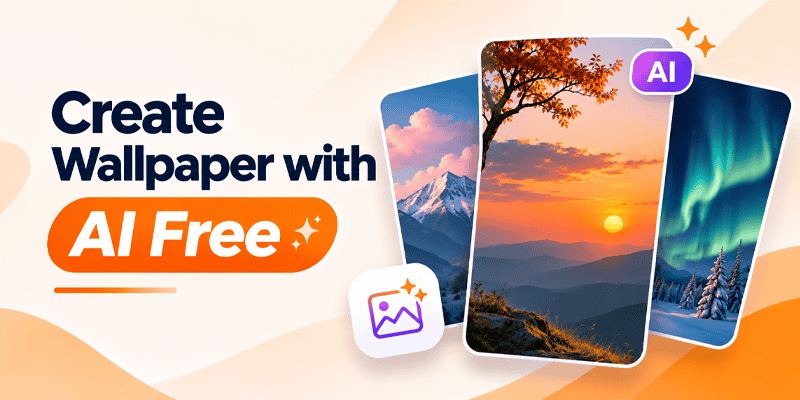
Tired of using the same old wallpaper on your Android phone? What if you could create your own wallpaper simply by describing what you imagine?
With CMM Launcher, creating personalized Android wallpapers is easier and more creative than ever.
CMM Launcher offers an AI Wallpaper Generator that allows users to create unique wallpapers using simple text prompts. Whether you love anime, nature, 3D artwork, futuristic cities, gaming backgrounds, or minimalist designs, you can turn your ideas into beautiful AI-generated wallpapers.
No complicated editing software. No professional design experience. Just enter your idea and let AI bring it to life.
If you’re searching for a way to create wallpaper with AI for free, CMM Launcher is an Android customization app worth exploring. Check the app for current free-generation availability and any usage limits.
What Is an AI Wallpaper Generator?
An AI Wallpaper Generator is a tool that uses artificial intelligence to create wallpapers from text descriptions.
Instead of searching through thousands of existing images, you can describe exactly what you want.
For example, enter:
“Create a beautiful 4K-style wallpaper of a peaceful mountain lake at sunset, with pink clouds, cinematic lighting, and realistic reflections.”
The AI interprets your prompt and generates a wallpaper design based on your description.
With CMM Launcher, you can explore personalized wallpaper creation directly within your Android launcher experience.
Create Your Own Android Themes and Earn Money with CMM Launcher
How to Create Wallpaper with AI Using CMM Launcher
Want to make your own Android wallpaper? Follow these simple steps.
Step 1: Download CMM Launcher
Visit CMM Launcher and install the Android launcher app on your smartphone.
Step 2: Open the AI Wallpaper Generator
Launch CMM Launcher and navigate to its AI wallpaper creation feature.
Step 3: Enter Your Wallpaper Prompt
Describe the wallpaper you want to generate.
For example:
“Create a futuristic city at night with glowing neon blue buildings, purple skies, and a cyberpunk aesthetic.”
You can include details such as colors, background, artistic style, lighting, and mood.
Step 4: Generate Your AI Wallpaper
Submit your prompt and let the AI Wallpaper Generator create a design inspired by your description.
Step 5: Preview Your Wallpaper
Review the generated wallpaper and check whether it matches your preferred style.
If you want a different result, try refining your prompt with more specific details.
Step 6: Apply Your Wallpaper
Choose your preferred design and use the available wallpaper options to personalize your Android home screen.
That’s it! You’ve created a personalized AI wallpaper using your imagination.
Best AI Wallpaper Prompts for Android Phones
Not sure what to create? Here are some creative AI wallpaper prompts you can try with CMM Launcher.
1. AI Anime Wallpaper
“Create a beautiful anime-inspired wallpaper featuring a girl standing under cherry blossom trees, soft pink clouds, dreamy lighting, and pastel colors.”
2. AI 3D Wallpaper
“Generate a futuristic 3D wallpaper with glowing blue geometric shapes, metallic textures, realistic reflections, and a dark background.”
3. AI Nature Wallpaper
“Create a peaceful mountain landscape with a crystal-clear lake, green forests, golden sunrise, and realistic cinematic lighting.”
4. AI Gaming Wallpaper
“Design a cyberpunk gaming wallpaper featuring a futuristic city, neon purple lights, glowing buildings, and a dramatic nighttime atmosphere.”
5. AI Aesthetic Wallpaper
“Create a minimalist beige aesthetic wallpaper with soft clouds, delicate flowers, warm sunlight, and a clean modern composition.”
6. AI Space Wallpaper
“Generate a stunning galaxy wallpaper featuring glowing planets, colorful nebula clouds, bright stars, and deep purple space.”
7. AI Car Wallpaper
“Create a cinematic wallpaper featuring a black luxury sports car parked on a rainy city street with neon reflections and dramatic lighting.”
8. AI Dark Wallpaper
“Design a premium black AMOLED-style wallpaper with subtle golden abstract lines, minimal details, and elegant lighting.”
Why Choose CMM Launcher for AI Wallpaper Creation?
CMM Launcher combines Android home screen customization with AI-powered creative features.
Create Wallpapers Using Simple Text Prompts
You don’t need to search endlessly for the perfect wallpaper. Describe your idea and generate a personalized design.
Explore Different Wallpaper Styles
Create wallpapers inspired by anime, gaming, nature, 3D art, futuristic technology, abstract designs, and minimalist aesthetics.
No Graphic Design Skills Required
You don’t need Photoshop or advanced editing skills to create AI-generated wallpaper designs.
Personalize Your Android Home Screen
Use your AI-generated wallpapers alongside CMM Launcher’s home screen customization features.
Create Matching AI Icons and Themes
CMM Launcher also supports AI icon and theme creation, helping users experiment with coordinated Android home screen designs.
AI Wallpaper Generator vs Traditional Wallpaper Apps
What makes an AI wallpaper generator different from a traditional wallpaper application?
| Feature | Traditional Wallpaper Apps | AI Wallpaper Generator |
|---|---|---|
| Ready-made wallpapers | Yes | May vary |
| Create wallpaper using text | Usually no | Yes |
| Personalized designs | Limited to existing collections | Prompt-based |
| Choose specific colors and styles | Depends on available images | Describe them in prompts |
| Unique wallpaper concepts | Limited to uploaded designs | AI-generated variations |
| Design experience required | No | No |
With AI wallpaper generation, users have more creative control over the wallpaper they want.
Tips to Create Better AI Wallpapers
Want to generate more attractive wallpapers? Try these tips.
1. Be specific with your prompt. Instead of writing “nature wallpaper,” describe the mountains, sky, lighting, colors, and atmosphere.
2. Mention your preferred style. Include words such as realistic, anime-inspired, cinematic, minimalist, 3D, or watercolor.
3. Choose suitable colors. Tell the AI whether you prefer dark, pastel, neon, warm, or natural colors.
4. Design for a vertical phone screen. Mention a 9:16 portrait composition to help create wallpaper artwork suited to smartphone displays.
5. Leave space for app icons. Request a clean upper or middle area so your home screen remains easy to read.
6. Experiment with different prompts. Small changes in your description can produce very different wallpaper designs.
Can You Create AI Wallpapers Without Coding?
Yes! You don’t need programming knowledge to create AI-generated wallpapers.
With a prompt-based AI wallpaper creator like CMM Launcher, you can describe your idea using everyday language.
Whether you’re a student, gamer, designer, or someone who loves personalizing smartphones, AI wallpaper creation makes it easier to experiment with creative backgrounds.
Frequently Asked Questions (FAQs)
1. How can I create wallpaper with AI for free?
You can use an AI wallpaper generator that offers free generations. CMM Launcher provides prompt-based AI wallpaper creation for Android. Check its current free usage availability and any generation limits before getting started.
2. Which app can create AI wallpapers for Android?
CMM Launcher is an Android launcher app with an AI Wallpaper Generator that allows users to create personalized wallpapers using text prompts.
3. Can I create AI wallpapers using text prompts?
Yes. With CMM Launcher, you can describe your preferred wallpaper using text, and AI generates artwork based on your description.
4. Do I need graphic design skills to create AI wallpapers?
No. AI wallpaper generators allow users to create designs by entering simple text prompts.
5. Can I create anime wallpapers using AI?
Yes. You can enter prompts describing anime-inspired characters, cherry blossoms, fantasy landscapes, and other artistic styles.
6. Can I create 3D wallpapers for Android using AI?
Yes. You can generate 3D-inspired wallpaper designs by describing depth, lighting, metallic effects, and realistic textures in your prompt.
7. Can I use AI-generated wallpapers on my Android home screen?
Yes. You can use compatible AI-generated images as Android home screen wallpapers through the available wallpaper settings.
8. What is the best AI wallpaper generator for Android?
The best AI wallpaper generator depends on your preferred features, pricing, and design styles. CMM Launcher is an option for Android users who want prompt-based wallpaper generation together with launcher customization.
9. Can I create matching AI wallpapers and app icons?
Yes. CMM Launcher supports AI wallpaper and AI icon creation, allowing users to experiment with coordinated home screen designs.
10. Can I create a wallpaper from my imagination?
Yes! Describe the scene, colors, objects, lighting, and artistic style you imagine, and an AI wallpaper generator can turn that description into a visual design.
Create Your Own AI Wallpaper with CMM Launcher Today!
Why settle for ordinary phone wallpapers when you can create something inspired by your imagination?
With CMM Launcher AI Wallpaper Generator, you can explore personalized Android wallpapers using simple text prompts.
Whether you want anime backgrounds, futuristic 3D artwork, peaceful nature scenes, or stylish aesthetic wallpapers, CMM Launcher helps bring your creative ideas to life.
Your imagination. Your prompt. Your wallpaper.
Start creating your personalized Android wallpaper today!


Leave a Reply